
TL;DR:
- Microsoft Purview eDiscovery enables UK organisations to manage legal and regulatory data retrieval within Microsoft 365. It offers three tiers—Content Search, Standard, and Premium—each expanding in capability from simple search to full investigation workflows. Proper scoping, licensing, and disciplined processes are essential to ensure effective, defensible, and compliant investigations.
Microsoft Purview eDiscovery is the suite of tools within Microsoft 365 that allows organisations to identify, preserve, search, review, and export electronically stored information (ESI) for litigation, regulatory investigations, and compliance purposes. Microsoft Purview provides three primary solution tiers to accomplish this:
- Content Search — search and export data across Microsoft 365 sources without formal case management
- eDiscovery (Standard) — adds case management and legal hold capabilities to Content Search
- eDiscovery (Premium) — delivers an end-to-end workflow including review sets, advanced analytics, conversation reconstruction, and custodian management
Microsoft Purview’s unified portal lets legal and IT teams manage the entire eDiscovery lifecycle, from initial preservation through to production, within a single interface — reducing the fragmentation that traditionally made cross-team investigations expensive and error-prone.
Table of Contents
- What does eDiscovery in Office 365 actually mean?
- What are the core Purview eDiscovery components?
- Which Microsoft 365 data sources can Purview search and preserve?
- Which Purview edition do you need, and what does UK licensing look like?
- How does an end-to-end Purview eDiscovery workflow run?
- What are the typical use cases for Office 365 eDiscovery in the UK?
- What are the known limitations and gotchas in Purview eDiscovery?
- Best practices for IT and legal teams using Purview eDiscovery
- When should you bring in an external digital forensics provider?
- A quick checklist to get started with eDiscovery in your Microsoft 365 tenant
- Key takeaways
- A practitioner’s perspective on UK eDiscovery matters
- Computerforensicslab: specialist support for complex UK eDiscovery matters
- Useful sources and further reading
What does eDiscovery in Office 365 actually mean?
Electronic discovery, or eDiscovery, refers to the process of locating and producing ESI held within a Microsoft 365 tenant in response to a legal, regulatory, or internal demand. Where traditional eDiscovery required extracting data to external platforms before any review could begin, Microsoft 365’s in-place approach means searches run against live indices without an immediate bulk export.
Organisations use eDiscovery in Microsoft 365 for four principal reasons. Civil litigation is the most common: solicitors and in-house counsel need to identify and produce relevant communications and documents under the Civil Procedure Rules. Regulatory investigations — from the Financial Conduct Authority, the Information Commissioner’s Office, or sector-specific bodies — require rapid, defensible collection of specific data sets. Internal investigations into employee misconduct, data exfiltration, or financial irregularity depend on the same capability. Finally, Subject Access Requests under UK GDPR require organisations to locate all personal data held about an individual across their entire Microsoft 365 estate, often within a one-month statutory deadline.
The responsibility for making eDiscovery work in practice sits across two functions. Legal teams define the scope, custodians, and legal basis; IT administrators configure permissions, verify data sources, apply holds, and manage the technical execution. IT administrators are the operational gatekeepers whose configuration choices determine whether an investigation succeeds or produces gaps that later undermine a case.
What are the core Purview eDiscovery components?
The three solution tiers map to progressively more complex investigation requirements, and understanding which component handles which task prevents teams from either over-licensing or under-equipping themselves.
Content Search provides keyword and condition-based searching across Exchange Online mailboxes, SharePoint Online sites, OneDrive accounts, and Teams data. Results can be previewed and exported directly. There is no case container, no hold functionality, and no review set — it is a search-and-export tool suited to straightforward, low-volume requests.

eDiscovery (Standard) wraps Content Search inside a case management structure. Each matter gets its own case, members are assigned, and legal holds can be placed on custodian mailboxes and sites to prevent deletion. This tier is appropriate for most routine litigation and regulatory requests where a formal record of the investigation is required.
eDiscovery (Premium) adds the capabilities that large or complex matters demand: custodian management with automated hold notifications, review sets that copy selected items into Microsoft-managed Azure storage for static review, conversation threading, near-duplicate detection, attorney-client privilege detection, and export in formats suitable for external review platforms. The distinction between an index-based search result and a review set is procedurally significant: once items are collected into a review set, they become a fixed, hashable corpus rather than a snapshot of live data.
| Feature | Content Search | eDiscovery (Standard) | eDiscovery (Premium) |
|---|---|---|---|
| Search and export | Yes | Yes | Yes |
| Case management | No | Yes | Yes |
| Legal holds | No | Yes | Yes |
| Review set collection | No | No | Yes |
| Conversation reconstruction | No | No | Yes |
| Advanced analytics | No | No | Yes |
| Custodian management | No | No | Yes |
Which Microsoft 365 data sources can Purview search and preserve?
Purview eDiscovery covers a broad range of Microsoft 365 services, and scoping a matter correctly from the outset prevents missed sources that later require costly supplemental collections.
Supported sources include:
- Exchange Online — user mailboxes, shared mailboxes, archive mailboxes, and public folders
- SharePoint Online — document libraries, lists, and site content
- OneDrive for Business — individual user file stores
- Microsoft Teams — channel messages, private chats (1:1 and group), meeting recordings stored in SharePoint or OneDrive, and voicemails
- Microsoft 365 Groups — group mailboxes and associated SharePoint sites
- Viva Engage — community and private messages where content is stored in Exchange Online mailboxes
- Third-party archived sources — Slack, Zoom, social media archives, and other platforms imported via data connectors that bring content into Microsoft 365 for eDiscovery
Cloud attachments and modern attachments deserve particular attention. When a user shares a file via a SharePoint link rather than attaching it directly, a standard search may return only the link placeholder, not the underlying document. eDiscovery (Premium) is configured to collect the referenced cloud file, but this behaviour must be explicitly verified during scoping. Similarly, Microsoft 365 Copilot interactions and AI-generated content are covered for regulatory and legal review within the Purview framework.
Teams-specific considerations: Teams private channel messages are stored differently from standard channel messages and require careful verification during collection. Conversation reconstruction in Premium reassembles threaded exchanges into readable context, but the quality of reconstruction depends on retention policy settings and whether messages were deleted before a hold was applied. Journaling lag — the assumption that all messages are immediately available for search — is a common misconception; indexing delays can affect very recent content.
Which Purview edition do you need, and what does UK licensing look like?
The three tiers carry different licensing requirements, and getting this wrong before starting a matter is a common and avoidable problem for UK organisations.
Content Search is available to users with a Microsoft 365 Enterprise E3 licence. eDiscovery (Standard) is also covered under E3. eDiscovery (Premium) requires a Microsoft 365 Enterprise E5 licence, or an E3 licence supplemented by the Microsoft 365 E5 Compliance add-on or the Microsoft 365 E5 eDiscovery and Audit add-on.
Microsoft retired the classic eDiscovery experiences on 31 August 2025; any organisation still relying on the legacy Content Search, classic eDiscovery (Standard), or classic eDiscovery (Premium) interfaces must migrate to the new Purview experience. This is not optional — the classic tools no longer function.
A UK-focused pre-matter licensing checklist:
- Confirm that custodians and administrators hold at least E3 licences; verify E5 or add-on entitlement if Premium features are required
- Check the tenant’s data residency configuration — UK tenants should confirm that data is stored in UK data centres where data sovereignty matters for the matter
- Verify that the Microsoft Purview portal is accessible and that the required enterprise apps (including
MicrosoftPurviewEDiscovery) are enabled in Azure Active Directory - Review any Conditional Access policies in Microsoft Entra that might restrict eDiscovery operations for administrator accounts
- Confirm that eDiscovery administrator and manager roles are assigned to the correct personnel before the matter opens
Licensing details and current pricing are maintained in the Microsoft Purview service descriptions, which should be consulted directly given that add-on structures change periodically.
How does an end-to-end Purview eDiscovery workflow run?
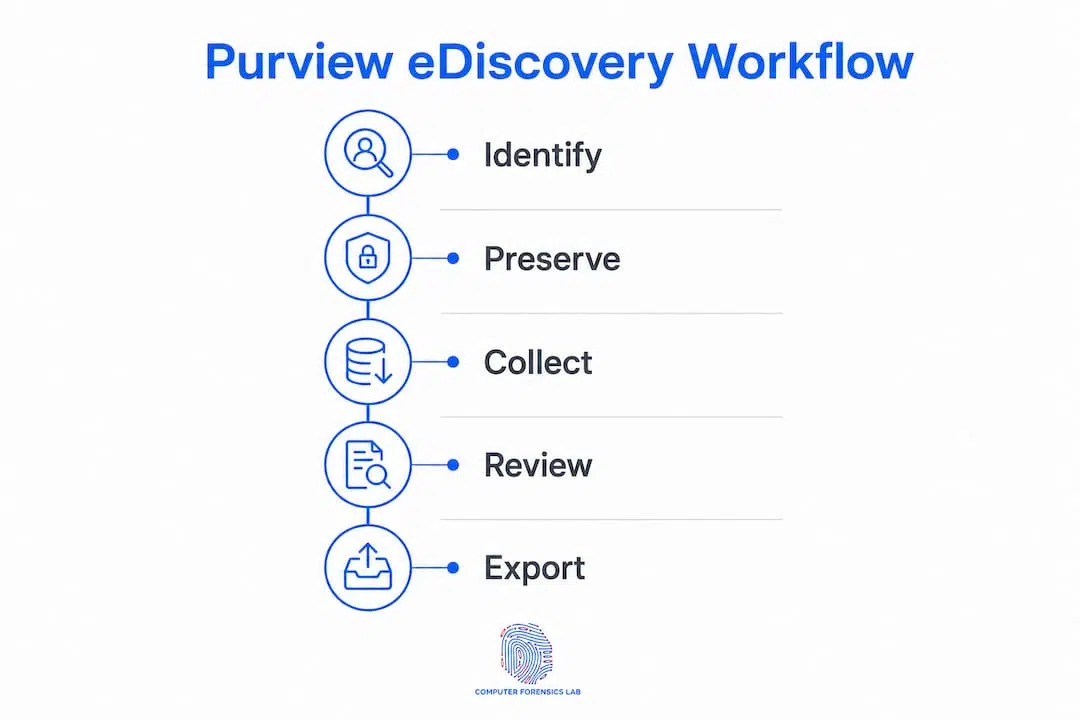
A well-structured workflow reduces the risk of evidence gaps and produces a defensible record of every decision made during the investigation. The following sequence reflects the standard procedural steps documented by Microsoft for eDiscovery (Premium), with notes on where Standard-tier users diverge.
Pre-matter preparation
Before creating a case, confirm the following:
- Permissions are assigned: eDiscovery Administrators can access all cases; eDiscovery Managers are scoped to cases they are members of
- Retention labels and policies are reviewed to understand whether any auto-deletion policies might conflict with prospective holds
- Custodian notices (legal hold notifications) are drafted if the matter requires formal notification to data subjects
Step-by-step workflow
- Identify custodians and scope — work with legal counsel to define which individuals and data sources are relevant; limit scope to what is proportionate and necessary
- Create a case — open a new case in the Microsoft Purview portal; the creating user is automatically added as a case member
- Add custodians and apply legal holds — place holds on custodian mailboxes and sites; holds preserve data from deletion prospectively from the moment they are applied
- Build and run search queries — use keyword queries, date ranges, sender/recipient filters, and condition cards to locate responsive content; preview results before committing to collection
- Refine and validate — review search statistics, adjust queries, and run sample reviews to confirm relevance before collection
- Collect into a review set (Premium) — add search results to a review set, which copies items into Azure storage and generates hash values for each item, establishing a verifiable corpus
- Review, tag, and analyse — apply tags, use conversation threading and near-duplicate grouping to reduce review volume, and flag privileged material
- Export and produce — export in the required format (PST, native files, or load files for review platforms) with export summaries and hash manifests
Post-matter documentation
After export, record the search queries used, the export hash values, the date and time of each hold application, and any reviewer notes. This chain-of-custody record is what makes the production defensible if challenged. Microsoft Graph APIs can automate repeatable actions — such as applying holds to a defined custodian list or triggering exports — which is worth scripting for organisations that run frequent matters.
What are the typical use cases for Office 365 eDiscovery in the UK?
The range of scenarios where Purview eDiscovery applies is broader than most teams initially assume, and recognising which tier fits which scenario prevents both under-collection and disproportionate data gathering.
- Civil litigation — identifying and producing communications, documents, and records responsive to a disclosure order under the Civil Procedure Rules; Standard tier is usually sufficient for single-custodian matters
- Regulatory investigations — responding to requests from the FCA, ICO, CMA, or sector regulators; the audit trail produced by Purview supports demonstrating compliance with the request
- Internal HR investigations — collecting email and Teams communications relating to grievance, disciplinary, or misconduct matters; requires careful scoping to avoid collecting irrelevant personal data
- Subject Access Requests under UK GDPR — locating all personal data held about a named individual across Exchange Online, SharePoint, OneDrive, and Teams within the one-month statutory deadline; the breadth of sources makes Purview’s cross-service search particularly useful here, though redaction of third-party personal data must be handled outside the tool
- Data breach response — identifying what data was accessed, by whom, and when, using audit logs alongside eDiscovery searches
- Compliance audits — demonstrating that specific data categories are retained, accessible, and manageable in accordance with records management obligations
UK GDPR SARs deserve a specific note on proportionality. The ICO’s guidance emphasises that organisations should search for and produce personal data that is genuinely responsive, not every document in which a name appears. Scoping searches tightly — by custodian, date range, and data type — before running a full collection reduces both review cost and the risk of over-disclosure. Premium’s analytics features become worthwhile when a SAR involves multiple custodians or a large historical data set.
What are the known limitations and gotchas in Purview eDiscovery?
Understanding where the tools fall short is as important as knowing what they can do. Several recurring issues cause evidence gaps or compliance missteps in practice.
- Permissions errors — assigning the eDiscovery Administrator role gives access to all cases in the tenant, which may be inappropriate for external counsel or junior staff; use the eDiscovery Manager role with case-level membership to apply least privilege
- Holds are not backups — legal holds preserve data prospectively from the moment they are applied; items permanently deleted before the hold was placed are typically unrecoverable through eDiscovery alone and require specialist forensic recovery
- Retention policy conflicts — an organisation-wide retention policy set to delete content after a defined period can interact unexpectedly with a hold; holds take precedence over deletion policies, but the interaction should be verified for each matter
- Cloud-link collection — sharing links returned in search results may be placeholders rather than the underlying files; cloud-link collection must be explicitly configured in Premium to retrieve the referenced documents
- Teams private channels — messages in private channels are stored in the mailboxes of channel members rather than the group mailbox; custodian lists must include private channel members explicitly
- Microsoft 365 Copilot data — AI-generated interactions are covered by Purview, but the data model differs from conventional email; verify collection behaviour for Copilot content before relying on it in production
- Indexing delays — very recently created or modified content may not yet be fully indexed; allow time before running a definitive collection on recent activity
Pro Tip: Before committing to a full collection on a live matter, run a small representative test search covering two or three custodians and a narrow date range, then perform a mock export and verify the output format, hash values, and file counts. Identifying configuration issues at this stage costs minutes rather than days.
Best practices for IT and legal teams using Purview eDiscovery
Effective eDiscovery in Microsoft 365 depends on disciplined process as much as technical capability. The following practices improve accuracy, reduce cost, and produce defensible outputs.

Collaborative scoping
Legal counsel should define the custodian list and date range before IT begins any technical work. Expanding scope mid-matter is significantly more expensive than scoping correctly at the outset. Preserving the minimal necessary data set also reduces the risk of over-disclosure and limits the volume of material requiring privilege review.
Role separation and access controls
Create dedicated eDiscovery Manager accounts for each matter rather than using global administrator credentials. Audit log entries for eDiscovery actions are tied to the account that performed them; using shared or elevated accounts obscures the audit trail. Enable unified audit logging in the Purview portal and verify it is active before any hold is applied.
Retention label and hold interaction
Review the organisation’s retention framework before applying a hold. Where a retention label is set to delete content at the end of a retention period, a hold will override the deletion, but the interaction should be documented. Test holds on a non-production custodian account to confirm behaviour before applying them to live matter custodians.
Documentation and chain of custody
Record every search query, including the date, operator, and result count. Export the hash manifest for every review set export and store it alongside the exported data. Include reviewer tagging decisions and any privilege logs in the case file. This documentation is what a court or regulator will scrutinise if the collection methodology is challenged.
Pro Tip: Schedule a tabletop exercise at least once a year in which the IT and legal teams simulate opening a matter from scratch: assign roles, apply a test hold, run a search, and produce a mock export. This validates that permissions are correctly configured and that the team’s discovery playbook reflects the current Purview interface, which Microsoft updates regularly.
When should you bring in an external digital forensics provider?
Purview eDiscovery handles the majority of routine Microsoft 365 investigations competently, but several scenarios exceed what the platform can reliably deliver without specialist support.
External digital forensics expertise is appropriate when:
- Data has been destroyed or overwritten — holds preserve prospectively; if a custodian deleted material before the hold was applied, specialist data recovery techniques may be required to retrieve it from unallocated storage or backup media
- Collection spans multiple platforms — matters involving personal devices, on-premises servers, third-party SaaS applications not covered by Purview connectors, or physical media require forensic imaging outside the Microsoft 365 environment
- Court-grade evidence standards are required — producing evidence in criminal proceedings or high-value civil litigation often requires a signed chain-of-custody document, a methodology summary, and an expert witness report that a forensics provider can supply
- Incident response and forensic imaging — a data breach or insider threat investigation may require volatile memory capture, network traffic analysis, or device imaging that falls outside Purview’s scope
- Complex multi-platform collection — where data is distributed across cloud services, mobile devices, and physical endpoints, a forensics provider can consolidate collection under a single defensible methodology
When retaining an external provider, expect them to supply: forensic preservation using write-blocked acquisition, SHA-256 hash verification of all collected items, a signed chain-of-custody record, a methodology summary suitable for court submission, and, where required, an expert witness report. A provider’s Purview outputs and independently collected forensic images should be reconcilable — the two workflows are complementary, not competing.
The cloud forensics workflow that bridges in-tenant Purview collection with external forensic acquisition is a practical model for matters where both are needed.
A quick checklist to get started with eDiscovery in your Microsoft 365 tenant
This checklist is designed for UK teams preparing to run their first lawful eDiscovery matter or to validate readiness before an urgent request arrives.
- Confirm licensing — verify that administrators and custodians hold E3 licences at minimum; confirm E5 or add-on entitlement if Premium features are required
- Assign roles — add the eDiscovery Administrator and eDiscovery Manager roles to the appropriate personnel in the Microsoft Purview portal role groups page
- Enable unified audit logging — confirm it is active in the Purview compliance portal before any hold is applied
- Verify enterprise apps — check that
MicrosoftPurviewEDiscoveryand related apps are enabled in Azure Active Directory - Identify custodians and data sources — work with legal counsel to define the scope; document the custodian list and rationale
- Review retention and hold interactions — map existing retention labels and policies against the proposed hold scope; document any conflicts
- Run a test search and export — execute a small representative search, review statistics, and perform a mock export to verify output format and hash values
- Document the process — record all queries, hold application dates, export hashes, and reviewer decisions in the case file
- Escalate if needed — if the matter involves destroyed data, non-Microsoft sources, or court-grade evidence requirements, engage a specialist forensics provider before collection begins
For teams new to Purview, Microsoft’s interactive getting-started guide walks through each configuration step in the portal and is the most reliable reference for current interface behaviour.
Key takeaways
Microsoft Purview eDiscovery gives UK organisations a defensible, in-place framework for legal and compliance data retrieval across Microsoft 365, but licensing, scoping, and hold timing are the variables that determine whether it works in practice.
| Point | Details |
|---|---|
| Three-tier product family | Content Search, eDiscovery (Standard), and eDiscovery (Premium) map to search/export, case management, and full end-to-end workflow respectively. |
| Holds are not backups | Legal holds preserve data prospectively; items deleted before a hold is applied are typically unrecoverable through Purview alone. |
| E5 licensing for Premium | eDiscovery (Premium) requires an E5 licence or an E3 licence with the Microsoft 365 E5 Compliance or eDiscovery and Audit add-on. |
| Cloud links need explicit configuration | Sharing links in search results may return placeholders; Premium must be configured to collect the underlying cloud files. |
| Computerforensicslab | For matters involving destroyed data, multi-platform collection, or court-grade evidence, Computerforensicslab provides forensic collection, expert witness reports, and chain-of-custody documentation that complement Purview workflows. |
A practitioner’s perspective on UK eDiscovery matters
The gap between what Purview eDiscovery promises and what organisations actually experience on their first live matter is almost always a permissions or scoping problem, not a technology failure. A legal team that defines custodians loosely, or an IT administrator who applies the eDiscovery Administrator role to an external counsel account without thinking through the access implications, will create problems that no amount of Premium licensing resolves.
What tends to change outcomes on complex UK matters is the discipline applied before the case is opened: a clear custodian list agreed with legal, a retention policy review, and a test export that confirms the output format is compatible with the review platform being used. The organisations that treat eDiscovery readiness as an ongoing operational posture rather than a reactive scramble consistently produce better, faster, and cheaper results.
The scenario where a forensics provider genuinely changes the outcome is not the routine litigation hold — it is the matter where a custodian deleted a significant volume of material three days before the hold was applied, or where the investigation spans personal mobile devices and a third-party CRM that Purview connectors do not reach. In those cases, the combination of Purview’s in-tenant collection and a forensics provider’s independent acquisition produces a more complete and more defensible evidence set than either approach alone.
Computerforensicslab: specialist support for complex UK eDiscovery matters
When a Microsoft 365 investigation moves beyond what Purview can handle in-tenant, Computerforensicslab provides the specialist layer that UK legal teams and IT departments need. Based in London, Computerforensicslab offers forensic collection and expert witness services for matters where court-grade evidence standards, multi-platform data acquisition, or specialist data recovery are required. Where Purview holds the Microsoft 365 estate, Computerforensicslab handles the sources it cannot reach: personal devices, on-premises infrastructure, third-party cloud services, and data that was deleted before a hold was applied.
For UK organisations facing litigation, regulatory investigation, or a data breach, the practical next step is to contact Computerforensicslab to discuss the scope of the matter and confirm whether in-tenant Purview workflows are sufficient or whether specialist forensic acquisition is needed. Details of the full range of digital forensics services are available on the website.
Useful sources and further reading
The following resources are the most reliable references for verifying the technical and procedural details covered in this guide.
Microsoft’s official Purview documentation on Microsoft Learn is the authoritative source for current interface behaviour, licensing requirements, and step-by-step procedural guidance. Given that Microsoft updates the Purview portal regularly, always consult the live documentation rather than cached or third-party summaries.
- Get started with eDiscovery — Microsoft Learn: the definitive starting point for configuring permissions, enabling apps, and running a first matter; includes interactive configuration guides
- Learn about eDiscovery — Microsoft Learn: the conceptual overview covering all three solution tiers, supported data sources, and the distinction between index-based search and review set collection
- eDiscovery (Premium) overview — Microsoft Learn: detailed coverage of Premium capabilities including conversation reconstruction, cloud-link collection, the August 2025 retirement of classic tools, and hold behaviour
- Describe eDiscovery — Microsoft Learn training module: a structured learning module that walks through the eDiscovery workflow and is useful for onboarding IT staff new to Purview
- eDiscovery features and components — Microsoft Learn: technical reference for cloud-link and modern attachment collection behaviour
- Electronic discovery: a UK legal guide: Computerforensicslab’s UK-focused primer on electronic disclosure and eDiscovery fundamentals for legal professionals
- Electronic disclosure: legal strategies and digital forensics: practical guidance on bridging Purview eDiscovery outputs with forensic best practice for UK disclosure obligations