
A digital footprint is the trail of data you leave behind whilst using the internet, made up of both the information you deliberately share and the information collected about you automatically. It covers everything from a social media post you wrote yourself to the cookies a website planted without your noticing, and it directly shapes your privacy, your reputation and your exposure to security threats. Understanding this properly means knowing which parts you control and which parts you do not.
This matters because employers, insurers, criminals and even courts of law increasingly treat your digital footprint as evidence of who you are.
This guide covers:
- The difference between active and passive footprints
- Real examples across the platforms you use daily
- Why footprints matter for privacy, reputation and security
- How to audit, reduce and manage your own footprint
- The limits of deletion, and when forensic recovery becomes relevant
Key Takeaways
Managing a digital footprint successfully depends on knowing which data you actively share, which is collected passively, and accepting that complete deletion is rarely achievable.
| Point | Details |
|---|---|
| Two footprint types | Active data is shared deliberately; passive data is collected automatically via cookies and logs. |
| Aggregation is the real risk | Isolated data points become detailed profiles once linked by trackers and data brokers. |
| Audit before you act | Search your name, review app permissions and check connected accounts before making changes. |
| Reduction beats erasure | Tightening privacy settings and pruning old accounts lowers exposure more reliably than chasing full deletion. |
| Forensic recovery matters legally | When deleted data becomes evidence, Computer Forensics Lab can recover and document it for court use. |
Table of Contents
- Types of digital footprints: active vs passive
- What does your digital footprint include? Everyday examples
- Why digital footprints matter for privacy, reputation and security
- How are digital footprints collected? The technical mechanics
- How to audit your digital footprint: a practical checklist
- How to reduce and manage your digital footprint: priority actions
- Permanence, deletion limits and when to consult a forensic specialist
- Tools and official resources worth bookmarking
- What footprint evidence looks like in a real investigation
- Get professional help with your digital footprint evidence
- Sources
Types of digital footprints: active vs passive
Every digital footprint splits into two categories, and knowing which is which is the first step towards controlling any of it.
- Active footprints come from things you do on purpose. Posting a photo on Instagram, filling in an online form for a mortgage application, or leaving a product review all count. You made a conscious choice to share that data, which at least gives you the option to think twice before you click “post”.
- Passive footprints are collected without any deliberate action on your part. Cookies logging your browsing habits, your IP address being recorded by every server you connect to, and apps quietly gathering location data in the background are all passive. The Canadian Centre for Cyber Security draws exactly this distinction, noting that active data is shared intentionally whilst passive data is gathered automatically as you move through the web.
The practical difference is control. You can pause before sharing something active. Passive collection often happens whether you like it or not, which is precisely why privacy settings and permission audits matter so much more than most people assume.
What does your digital footprint include? Everyday examples
Your footprint is not one thing sitting in one place. It is scattered across dozens of platforms and devices, often without you realising quite how much has accumulated.
Social and user-generated traces are the most visible part:
- Posts, comments and likes on social media
- Photos and videos you have uploaded, tagged or been tagged in
- Forum contributions, product reviews and blog comments
Background data is the part most people underestimate:
- Cookies and tracking pixels embedded in nearly every website you visit
- Device telemetry sent silently by apps and operating systems
- Server logs recording your IP address every time you connect
Transactional and metadata traces round out the picture:
- Online purchases, subscriptions and loyalty card scans
- Timestamps attached to emails, messages and file edits
- Geolocation data embedded in photos or logged by mapping apps
Put these three categories together and you get something close to a behavioural map of a person, built entirely from fragments they rarely think about individually.
Why digital footprints matter for privacy, reputation and security
Three groups have a direct interest in your digital footprint, and each one uses it differently.
Marketers and data brokers buy and sell behavioural profiles built from your browsing habits, purchase history and app usage. This is how you see an advert for something you only mentioned near your phone, or searched for once, days earlier. Data brokers aggregate footprints from multiple sources into a single, sellable profile, often without your direct knowledge.
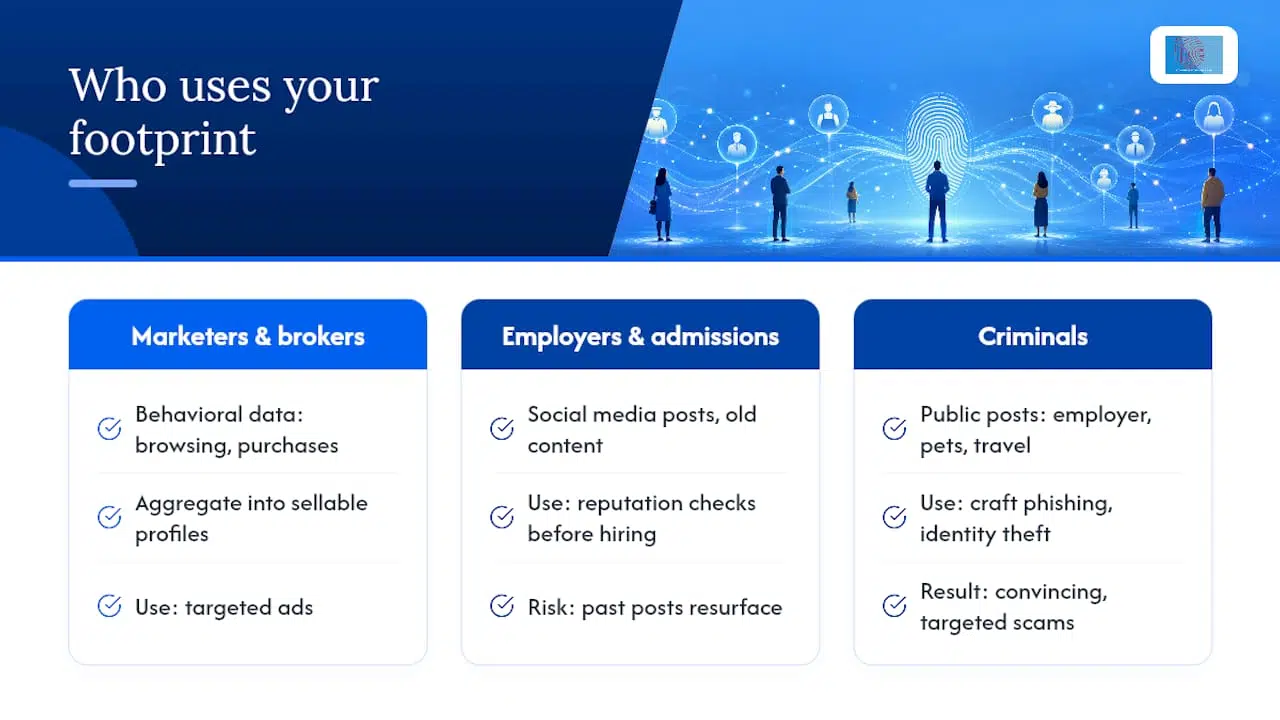
Employers and admissions officers routinely check social media before hiring or accepting candidates. A footprint built years ago, sometimes as a teenager, can resurface at exactly the wrong moment. Reputation damage from an old post rarely comes with a warning.
Criminals use footprints to build convincing phishing attacks and commit identity theft. A scammer who knows your employer, your pet’s name and your recent holiday destination, all pulled from public posts, can craft a much more believable scam than a generic one. According to IBM, nearly every online action leaves a trace, and when those traces are combined they form profiles used for both marketing and security analysis.
Pro Tip: Search your own name alongside your employer and city. It is roughly what a scammer or recruiter would type first, and it shows you exactly what they would find.
The stakes are not abstract. A leaked footprint can cost you a job offer, a mortgage approval or, in the worst cases, your financial security.
How are digital footprints collected? The technical mechanics
Passive data collection relies on a handful of standard mechanisms working together, often invisibly.
- Cookies are small text files websites store on your device to remember who you are and what you have browsed.
- Device identifiers such as advertising IDs let apps and networks recognise your phone across different services without needing your name.
- Server logs record your IP address, browser type and the time of every connection you make.
- App telemetry quietly reports usage patterns, crash data and sometimes location back to developers.
Individually, none of this looks alarming. The risk comes from linking. Metadata from one source gets matched against another, often via shared identifiers like an email address or device ID, and the result is aggregation: isolated data points stitched into a single profile. Third-party trackers embedded across thousands of unrelated websites make this linking far easier than most people expect, and data brokers exist specifically to buy, combine and resell the results.
How to audit your digital footprint: a practical checklist
You cannot manage what you have not measured, so start with an audit.
- Search your own name in several variants, including nicknames and old surnames, alongside your email address and phone number.
- Run a reverse image search on your profile photos to see where else they appear online.
- Review connected accounts through your Google or Apple account dashboard to see every app that has ever had access.
- Check app permissions on your phone for location, microphone and contacts access that no longer makes sense.
- Use tracker-scanning tools and data broker opt-out services to see what has been collected and sold about you, an approach Norton recommends as a starting point for consumer audits.
Pro Tip: Set a calendar reminder every six months to repeat this audit. New accounts and forgotten apps accumulate faster than most people expect.
How to reduce and manage your digital footprint: priority actions
Once you know what exists, tackle it in order of impact rather than trying to fix everything at once.
Start with the immediate priorities:
- Tighten privacy settings on every social platform, defaulting to “friends only” rather than public
- Delete or deactivate accounts you no longer use, especially old forums and shopping sites
- Remove old posts, photos or reviews that no longer reflect who you are
Then build ongoing hygiene into your routine:
- Audit app permissions every few months and revoke anything unnecessary
- Use a password manager and unique passwords for every account
- Enable two-factor authentication wherever it is offered
Finally, consider dedicated privacy tools:
- Tracker-blocking browser extensions to cut third-party data collection
- A privacy-first browser as your default rather than an afterthought
- A reputable VPN or a paid data-removal service for broker listings
Kaspersky’s guidance is blunt on this point: complete erasure is rarely achievable, but consistent reduction and maintenance measurably lower your exposure over time. For a wider view of how these traces connect to real reputational stakes, our piece on why understanding your digital footprint protects your privacy and reputation goes further into the vetting risks employers and institutions actually apply.
Pro Tip: Tackle deletions before you tighten settings. There is little point locking down an account you are about to close anyway.
Workplace monitoring adds another layer worth knowing about if you are an employee rather than just a private individual. Guidance on workplace privacy rights explains how employers may lawfully use information gathered from company devices and accounts, which is a useful check before assuming your work-related footprint is entirely your own.
Permanence, deletion limits and when to consult a forensic specialist

Deleting a post rarely means it has actually disappeared. Search engine caches, third-party archives, automated backups and other people’s screenshots can all preserve content long after you have removed the original. Kaspersky notes that deleted online content frequently persists in caches, archives and backups, which is exactly why forensic recovery of deleted data is often technically possible.
This permanence cuts both ways. It is frustrating when you are trying to remove an old embarrassment, but it is invaluable when deleted data forms part of a legal case.
Digital evidence rarely vanishes as cleanly as a deleted file suggests. Recovered metadata, timestamps and cached fragments have repeatedly turned out to be the detail that determines whether a case stands up in court.
Instructing a digital forensics specialist makes sense when deleted messages, files or account activity need to be recovered and preserved in a way that will hold up as evidence, whether that is a data breach investigation, an employee misconduct case or a family law dispute. A proper engagement should produce a documented chain of custody and, where needed, an expert witness report suitable for court.
Tools and official resources worth bookmarking
A handful of resources cover most of what an individual actually needs, without wading through marketing noise.
- Tracker-blocking browser extensions and a privacy-focused browser as your daily default
- The Canadian Centre for Cyber Security’s guidance on digital footprints, aimed at both individuals and organisations
- IBM’s explainer on digital footprints for a clearer view of how profiles get aggregated
- Our own complete guide to digital footprints for readers who want the fuller technical picture
What footprint evidence looks like in a real investigation
We have seen cases where a deleted message thread, recovered from device backups, became the single piece of evidence that resolved a dispute over intellectual property theft. The footprint the individual thought was gone had simply moved out of sight, not out of existence.
If you are facing a situation where digital evidence needs to be recovered, preserved or explained to a court, get in touch with Computer Forensics Lab for a confidential conversation about your case.
— Computer
Get professional help with your digital footprint evidence
Auditing your own footprint is achievable with the checklist above, but recovering deleted data for a legal dispute, a workplace investigation or a suspected breach is a different task entirely. Computer Forensics Lab specialises in exactly that gap: forensically sound data recovery, mobile and cloud analysis, and expert witness reporting that stands up to scrutiny in court, which is not something a consumer privacy tool is built to deliver. Our digital forensics services cover data recovery, chain of custody management and cybercrime investigation for solicitors, businesses and private clients alike. If deleted messages, files or account activity need to be recovered and properly documented, contact Computer Forensics Lab to discuss your case and the evidence you need.
Sources
- Digital footprint (ITSAP.00.133) – Canadian Centre for Cyber Security
- What Is a Digital Footprint? | IBM
- Worried About Your Digital Footprint? Here’s How to Reduce It – Kaspersky
- What is a digital footprint? Definition & examples – Norton