Start with Autopsy if you need a full, court-ready case platform, and pair it with a triage tool such as CyberTriage when speed matters more than depth. For large datasets, IPED or Flux Forensics scale better than most GUI platforms. Open-source tools remain the safer default for evidential defensibility, since examiners and courts can audit the underlying code rather than trust a closed black box.
TL;DR:
- For large datasets, IPED and Flux Forensics are better suited than GUI platforms due to their scalability and efficient processing mechanisms.
- Open-source tools like Autopsy and The Sleuth Kit provide auditable workflows essential for evidential defensibility, especially in complex or contested cases.
- When selecting tools, prioritize format support, scalability, and reproducibility over feature lists to align with case-specific needs and legal standards.
- Speed-focused platforms like CyberTriage excel in incident response triage but are not replacements for comprehensive forensic investigations.
- Building a modular, layered workflow that includes imaging, triage, targeted analysis, and hash verification ensures evidence integrity and legal admissibility.
Table of Contents
- Comparing the leading computer forensics tools
- How we evaluated these tools
- How do you choose the right computer forensics tool?
- What does a real forensic workflow look like?
- Training, support and how modular is each tool?
- How fast, scalable and easy to learn are these tools?
- What legal and ethical rules govern forensic tool use?
- How do forensic tools fit into a wider security workflow?
- How do you present forensic findings as evidence?
- Where is tool choice heading, and what should you plan for?
- When does hiring a forensic service beat buying a tool?
- Where can you find authoritative tool documentation?
- Sources
Comparing the leading computer forensics tools
Most investigators narrow their shortlist to a handful of platforms before they ever open a disk image, because the wrong choice early on costs hours later. Autopsy is the closest thing the field has to a default: a free, end-to-end platform with timeline analysis, hash filtering, keyword search and web-artifact extraction built in, and it carries genuine weight with law enforcement and corporate examiners who need a defensible, auditable workflow.
Underneath Autopsy sits The Sleuth Kit, a set of command-line utilities and a C library that does the low-level file system analysis Autopsy’s interface presents visually. Many practitioners run TSK directly when they need to script a repeatable process rather than click through a GUI.
IPED takes a different approach. Built originally by the Brazilian Federal Police, it is a Java-based processor and indexer designed for large, multi-case investigations, with multithreaded processing that keeps memory use predictable across terabyte-scale evidence sets. Flux Forensics solves a similar scale problem from a different angle: a streaming command-line tool built for constant memory usage, raw byte searching, carving and MACB timeline reconstruction on images too large for conventional handling.
CyberTriage exists for a narrower job: fast, automated first-pass endpoint triage during incident response, scoring indicators so responders know where to look first. It accelerates discovery but was never built to replace a full forensic examination for court.
| Tool | Best for | Core features | Formats supported | Licence | Learning curve |
|---|---|---|---|---|---|
| Autopsy | Full-case investigations, labs | Timeline, hash filtering, keyword search, plugins | RAW/DD, E01, VMDK | Open source | Moderate, strong documentation |
| The Sleuth Kit | Scripted, low-level analysis | CLI utilities, C library, file system parsing | RAW/DD, E01 | Open source | Steep for non-CLI users |
| IPED | Large, multi-case datasets | Multithreaded indexing, fast search | RAW/DD, E01, AFF, VMDK, many others | Open source | Moderate |
| Flux Forensics | Performance-sensitive, scripted workflows | Streaming I/O, carving, MACB timelines | Large raw images | Commercial/CLI | Steep, script-driven |
| CyberTriage | Rapid incident response triage | Automated scoring, fast endpoint sweep | Live and imaged endpoints | Commercial | Low, designed for speed |
Three things stand out once you line these tools up side by side:
- No single platform covers acquisition, triage, deep analysis and reporting equally well; most labs run at least two.
- Open-source options give you an auditable trail that closed commercial formats cannot always match.
- Scale dictates the choice more than feature lists do. A tool that handles a 500GB laptop image gracefully can choke on a 10TB server array.
How we evaluated these tools
Evaluation started with evidence preservation, not features: does the tool work from a write-blocked, verified image rather than live media, and can you compute and check hashes against the original? From there, priority went to capabilities that decide real cases:
- Timeline reconstruction — can the tool build an accurate MACB timeline from file system metadata?
- Data carving — can it recover files from unallocated space without a matching file system entry?
- Memory and dump analysis — does it handle volatile evidence, not just disk images?
- Hash filtering — can it cross-reference known-good or known-bad hash sets quickly?
Reproducibility mattered throughout: a tool whose processing steps a second examiner cannot rerun and verify is a liability in court, not an asset.
How do you choose the right computer forensics tool?
Procurement decisions in digital forensics tend to go wrong for the same reason twice: someone buys the tool with the longest feature list rather than the one that fits the actual caseload. Before signing anything, work through a short checklist against your real use case.
- Define the job first. A forensic lab doing full case examinations needs different depth to a SOC team running rapid endpoint triage, or a specialist doing memory forensics with Volatility.
- Check format support explicitly. Confirm the tool reads RAW/DD, E01, AFF and VMDK images if your evidence sources vary, rather than assuming universal support.
- Ask about scale. Request real throughput figures for datasets close to your typical case size, not a vendor’s best-case benchmark.
- Interrogate support and training. Does the vendor offer structured training, a subscription support tier, or is documentation the only resource?
- Test admissibility groundwork. Ask whether the tool produces reproducible logs and hash verification suitable for chain-of-custody requirements.
For open-source tools specifically, ask who maintains the codebase, how often it is updated, and whether the project has been cited or used in published casework. A stalled repository with no recent commits is a red flag regardless of how good its last release looked.
Watch for closed, undocumented image formats, missing hash verification, and an absence of practitioner documentation. Any of these should push a candidate tool down your list.
Pro Tip: Before committing budget, run the same test image through your top two candidate tools and compare the generated hash values and timeline output. If they disagree, you have found a problem worth solving before it reaches a courtroom.
What does a real forensic workflow look like?
A resilient toolchain almost always follows the same shape: acquire a write-blocked image, run a quick triage pass for keywords and timeline anomalies, move to targeted carving or memory dump analysis, then cross-check findings against known hash sets before writing the report. This staged approach, outlined by Sleuth Kit Labs, keeps each phase auditable on its own.
Not every case needs the full sequence. A straightforward data recovery request might stop after triage. A contested employment dispute or a criminal matter usually needs the full chain, including a documented chain-of-custody log and, often, an expert witness prepared to defend the methodology under cross-examination.
Imaging best practice has not changed much in years, even as tools have: verify the write-blocker before you start, compute MD5, SHA-1 and SHA-256 hashes immediately after acquisition, and preserve the original media untouched. Cross-referencing against reference hash sets such as NSRL speeds up filtering enormously on large datasets.
- Image first, analyse second. Never run analysis tools directly against original media.
- Keep a running log of every command and configuration used, not just the final report.
- Cross-check hash values at acquisition and again before reporting, catching silent corruption.
Pro Tip: Run a quick keyword and timeline scan before committing hours to deep carving. It often tells you within minutes whether the evidence you need is even present.
Training, support and how modular is each tool?
Modularity separates the platforms built for one-off use from the ones built to grow with a caseload. Autopsy’s plugin architecture lets examiners add custom modules for specific artefact types, and optional subscription support exists for teams that need faster turnaround on training than community forums provide. CAINE and PALADIN Linux take a similar open, distribution-based approach, bundling multiple tools into a bootable environment rather than one monolithic application.
Commercial platforms such as Magnet AXIOM Cyber, EnCase, Nuix Workstation, Belkasoft X Corporate and FTK generally bundle structured training courses, certification paths and dedicated support lines into the licence cost. That matters for large organisations that need staff turnover to not disrupt casework, but it comes at a price open-source tools do not carry.
Oxygen Forensic Detective and its companion Oxygen Remote Explorer lean heavily on mobile and cloud extraction modules, with vendor training built around those specific artefact types. Elcomsoft Premium Forensic Bundle and IsoBuster occupy a narrower niche: password recovery and optical media extraction respectively, each with focused documentation rather than broad platform training.
For teams without a training budget, community documentation carries real weight. The Volatility Foundation publishes extensive plugin documentation for memory analysis, and Bulk Extractor ships with clear usage guides for scanning raw images without parsing a file system at all. The trade-off is time: expect a longer ramp-up without a vendor support line to call.
How fast, scalable and easy to learn are these tools?
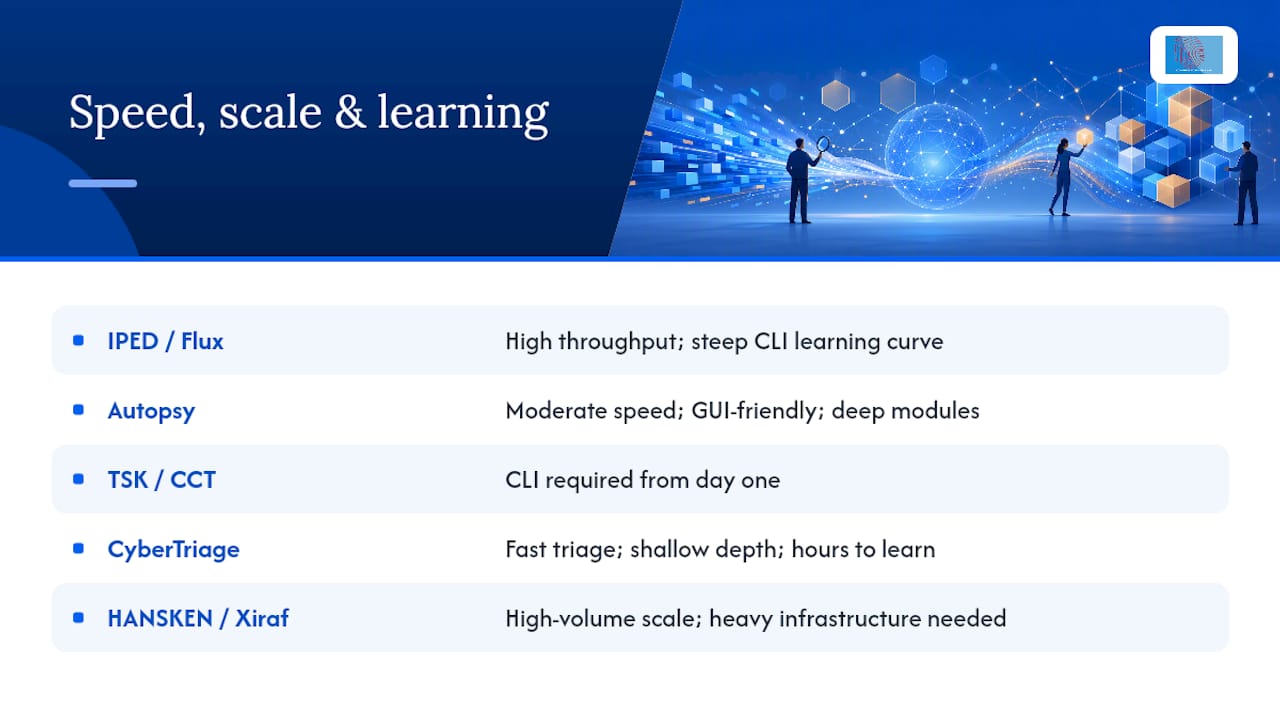
Speed and learning curve rarely move together. IPED and Flux Forensics both prioritise raw throughput, and IPED’s multithreaded design maintains predictable processing times across TB-scale images, but neither is the tool you hand to a first-week analyst without guidance. Flux Forensics, in particular, rewards comfort with a command line and punishes unfamiliarity with one.
Autopsy sits in the middle: approachable enough for a newer examiner to produce useful results within days, thanks to its GUI and documentation, but deep enough that mastering every module takes months. The Sleuth Kit and The Coroner’s Toolkit, its conceptual predecessor, demand CLI fluency from day one, which is exactly why many teams run TSK underneath Autopsy rather than standing alone.
CyberTriage and similar automated triage platforms trade depth for speed deliberately; a responder can be productive within hours, but the tool was never designed to replace slower, more thorough examination. HANSKEN and Xiraf, both developed for high-volume law enforcement casework, sit at the opposite end: heavy infrastructure investment for organisations processing large volumes of cases in parallel, not something a small practice adopts casually.
For live system triage and boot environments, Kali Linux, Parrot Security OS and Pentoo offer broad toolsets but assume the operator already knows which of the bundled utilities to reach for. PTK Forensics and older tools such as COFEE, Digital Forensics Framework, HashKeeper and Open Computer Forensics Architecture (OCFA) remain in circulation in some labs but see far less active development than the current generation.
What legal and ethical rules govern forensic tool use?
Authorisation comes first, always. Running any forensic tool against a device, network share or cloud account without proper legal authority, whether a warrant, a client instruction backed by ownership rights, or explicit consent, exposes the examiner and the case to challenge regardless of how good the findings are.
Evidence integrity is the second pillar. Courts scrutinise whether the original media was altered during acquisition, which is why write-blocked imaging and hash verification are not optional steps; they are the difference between evidence a court accepts and evidence a defence lawyer gets excluded. Open-source tools carry a specific advantage here: because the code is auditable, opposing counsel or an independent expert can verify exactly what the tool did to the data, which reduces the risk of a challenge succeeding on methodology grounds alone.
Chain-of-custody documentation, proportionality (only examining what the authorisation actually covers), and data protection obligations around personal information all sit alongside tool selection rather than beneath it. A brilliant analysis built on an improperly authorised acquisition is worthless in court, and often actionable against the examiner. Anyone new to the field should treat spoliation risk as seriously as any technical skill on this list.
How do forensic tools fit into a wider security workflow?
Digital forensics rarely operates in isolation from the rest of a security function. Incident response platforms feed triage tools like CyberTriage directly, letting a SOC hand off flagged endpoints for deeper examination without re-acquiring evidence from scratch. SIEM alerts often trigger the acquisition step in the first place, giving examiners a starting timestamp before they open Autopsy or IPED.
Malware analysis sits adjacent to forensic examination rather than inside it. Volatility’s memory analysis frequently surfaces indicators that then get handed to a dedicated malware sandbox or reverse-engineering process, and the results loop back into the forensic report as supporting evidence. Penetration testing engagements sometimes run the other direction: a red team assessment identifies a compromise, and forensic tools then reconstruct what actually happened during exploitation.
Hash-set management ties the two worlds together quietly. Reference sets like NSRL or Project VIC, built for forensic filtering, are increasingly cross-referenced against threat intelligence feeds used in broader cybersecurity monitoring, letting a known-bad file hash from one investigation flag automatically in a completely different case. Treating forensic tooling as a standalone silo, disconnected from incident response and threat intelligence workflows, wastes the correlation opportunities that modern caseloads generate constantly.
How do you present forensic findings as evidence?
A finding that never leaves the analyst’s screen has no evidential value. Every tool on this list eventually has to produce a report a non-technical reader, a solicitor, a judge, a jury, can follow without needing to understand file system internals.
Autopsy and the major commercial platforms generate structured reports automatically, typically including a timeline export, a list of recovered artefacts, and the hash values used to verify integrity throughout. That automation saves hours, but it should never replace an examiner’s own narrative explaining what the artefacts mean and why the methodology was sound.
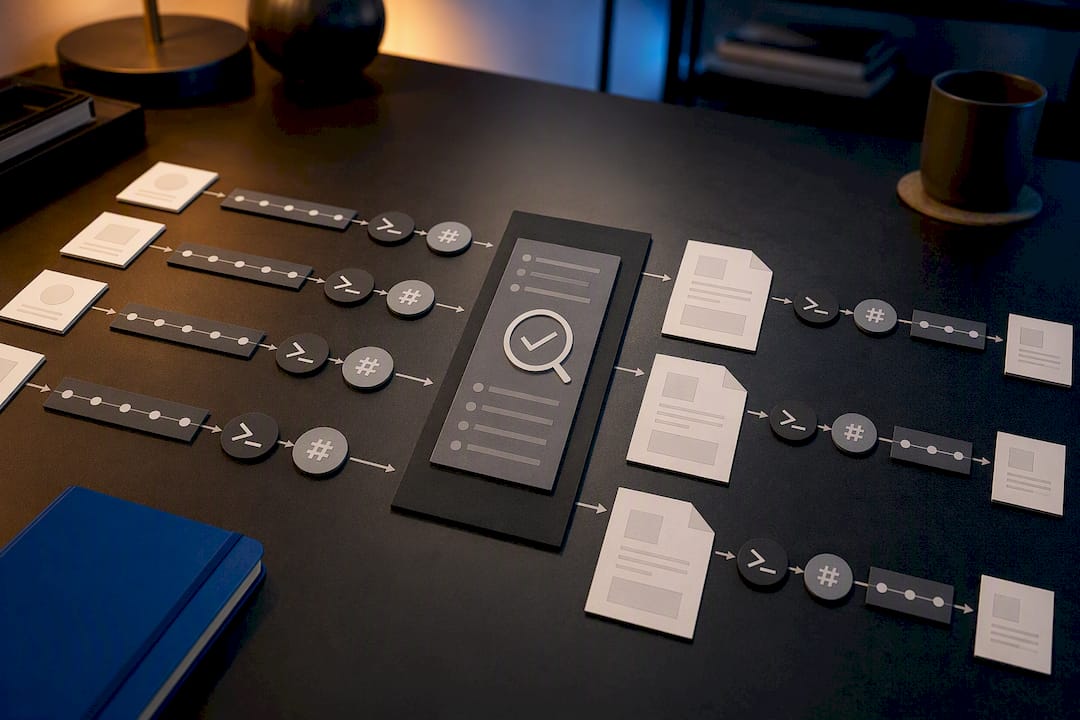
Reproducibility belongs in the report itself, not just the workflow. Documenting the exact commands run, software versions used, and hash values at each stage lets a second examiner, whether an opposing expert or an internal reviewer, rerun the process and reach the same result. That transparency is often what separates a report that survives cross-examination from one that collapses under it. For anyone preparing findings for a legal audience, a structured, step-by-step forensic analysis approach tends to hold up far better than a narrative written after the fact from memory.
Where is tool choice heading, and what should you plan for?
Automation is compressing the time between “incident detected” and “first useful lead”, and triage platforms will keep eating into work that once needed a full forensic pass. That’s a genuine gain for incident response, but it does not shrink the need for full, defensible platforms once a case heads towards litigation or prosecution.
Open-source verification will likely matter more, not less, as courts grow more sceptical of black-box outputs from any domain, including forensics. Teams that lean entirely on point-and-click commercial suites without understanding what happens underneath will struggle to defend methodology under serious cross-examination.
Procurement and training cycles should plan for both: fast triage capability for volume, and deep, auditable platforms for the cases that matter most.
— Computer
When does hiring a forensic service beat buying a tool?
Buying and learning Autopsy, IPED or Volatility makes sense when your caseload is steady and your team has time to build genuine competence. It stops making sense the moment a case involves contested chain-of-custody, complex mobile or cloud data recovery, or a need for sworn expert witness testimony, because a self-taught examiner facing cross-examination on methodology is a liability few law firms can afford to risk.
Computer Forensics Lab exists for exactly that gap: cases needing digital forensic investigations handled by examiners who work with these tools daily, not occasionally. Its digital forensics services cover data recovery, evidence collection, malware analysis and expert witness reporting, with the documentation standard courts expect built into every stage.
If your case involves a single laptop and a straightforward question, a well-chosen open-source tool may be all you need. If it involves litigation risk, a tight deadline, or evidence that has to survive scrutiny in court, the calculation shifts firmly towards hiring specialists. Get in touch to discuss which route fits your case before you commit budget either way.
Where can you find authoritative tool documentation?
- NIST Computer Forensics Tools & Techniques Catalog — standards and verified tool listings.
- Autopsy / Sleuth Kit documentation — downloads, modules, support options.
- IPED repository — source code, format support, benchmarks.
- Flux Forensics — CLI documentation and performance notes.