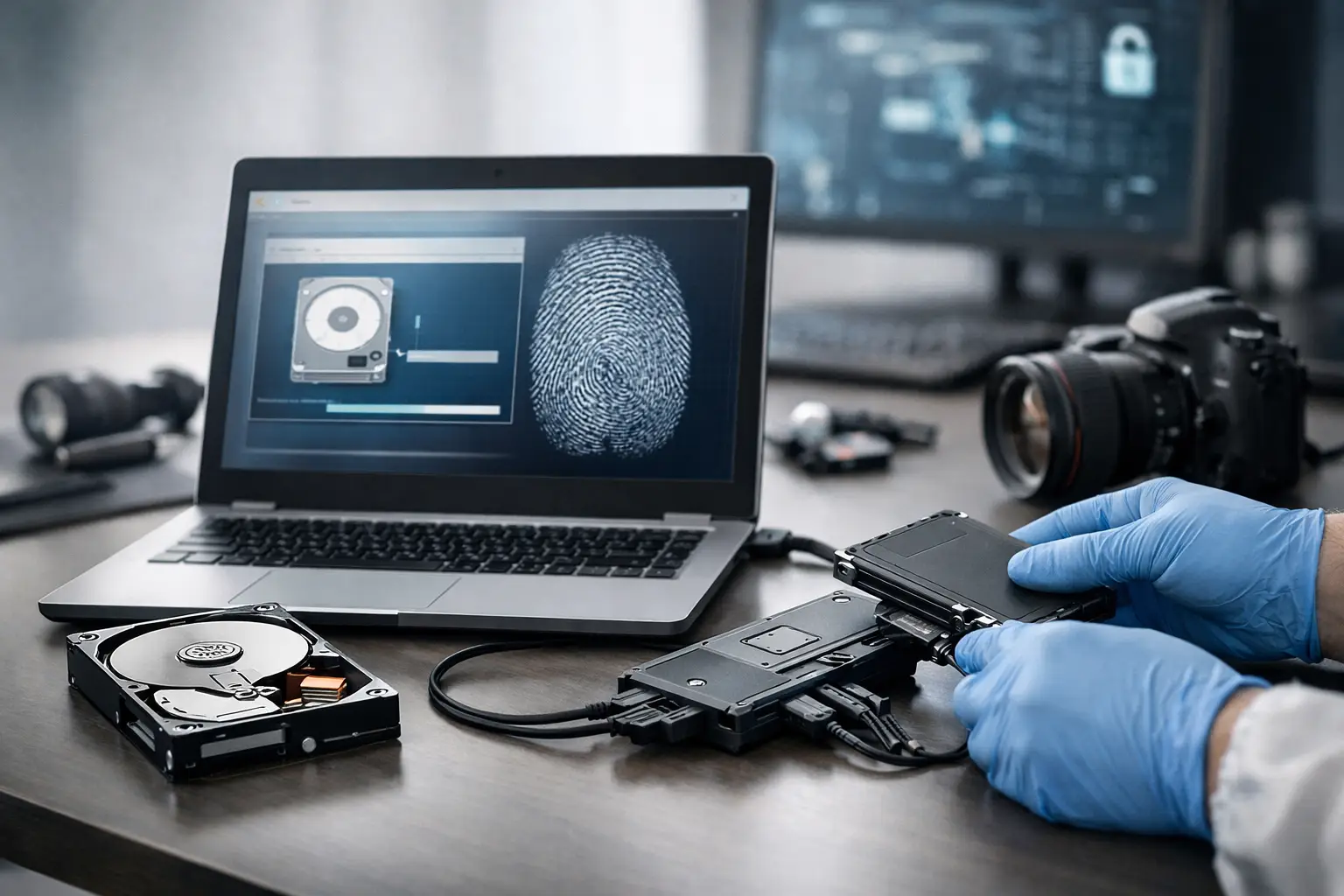
When a device may contain key evidence, the first serious risk is not what is missing – it is what gets changed. A poorly handled laptop, phone, or external drive can lose timestamps, alter metadata, or overwrite deleted material within minutes. That is why any guide to forensic imaging process must begin with one point: imaging is not routine copying. It is an evidential procedure designed to preserve digital material in a defensible state.
For solicitors, businesses, and private clients, that distinction matters. If digital evidence is challenged, the court will not only look at what was found. It will also examine how the data was preserved, whether the original device was protected, and whether the examiner can account for each step taken. In high-stakes matters, the imaging stage often decides whether the rest of the investigation stands up or falls away.
What forensic imaging actually means
Forensic imaging is the process of creating an exact bit-for-bit copy of a digital storage source so that examination can be carried out without altering the original evidence. Unlike a standard file copy, a forensic image aims to capture active files, deleted data that remains recoverable, file system artefacts, metadata, unallocated space, and other material relevant to reconstruction and analysis.
In practical terms, the examiner is preserving the evidential state of the device at the point of acquisition. That image then becomes the working copy for review, reporting, and, where necessary, disclosure. The original device should ordinarily remain protected and untouched after capture, save for justified and documented exceptions.
This point is often misunderstood by clients who have already been advised to “back everything up”. A backup may be useful for business continuity, but it is not the same as a forensic image. Backups are selective. Forensic imaging is designed for evidential completeness and procedural integrity.
A guide to forensic imaging process in practice
The forensic imaging process begins before any software is opened. First, the examiner identifies the device, records its condition, notes make, model, serial numbers, visible damage, and any immediate risks such as encryption, battery depletion, remote wiping, or live network connections. The handling approach depends on the case. A desktop computer in an office fraud investigation raises different issues from a mobile phone in a family law dispute or a server linked to a suspected cyber incident.
Chain of custody is established at the outset. That means documenting who collected the item, when it was received, how it was packaged, where it was stored, and who accessed it. If custody records are unclear, the reliability of the evidence can be attacked even where the technical findings are sound.
The next step is preservation. For storage media such as hard drives and SSDs, examiners typically use specialist hardware or software controls to prevent writing to the source device during acquisition. This is essential because even minor system interaction can alter access dates, logs, or system files. For live systems, the position is more nuanced. Sometimes pulling the plug preserves less evidence than conducting a controlled live capture, especially where volatile data such as RAM, active network sessions, or encryption keys may be critical. The right decision depends on the device state and investigative objective.
Once the acquisition method is selected, the examiner creates the forensic image using recognised tools and validated procedures. The image may be stored in a raw format or in a forensic container that supports metadata and segmentation. What matters is not brand preference but whether the method is suitable, documented, repeatable, and accepted in forensic practice.
After acquisition, cryptographic hash values are generated. These digital fingerprints allow the examiner to verify that the image matches the source data at the time of capture and remains unchanged afterwards. If the hash values match on verification, the examiner can demonstrate integrity. If they do not, there is a problem that must be explained before the evidence can be relied upon.
Why the imaging stage is so often contested
Most challenges to digital evidence do not begin with advanced technical argument. They begin with questions that sound straightforward. Who handled the device? Was it switched on? Was anything previewed before imaging? Was a personal assistant, internal IT team, or family member allowed access? Was the collection date clearly recorded? Those questions go to contamination, independence, and reliability.
This is why non-specialist handling creates avoidable problems. Well-meaning attempts to “look around” a device can change data. Internal IT teams may be excellent at administration and recovery, but they are not necessarily working to evidential standards. A standard export, screenshot set, or copied folder may help internal fact-finding, but it may not preserve all artefacts needed for legal scrutiny.
For legal professionals, the practical issue is simple. If the data may become evidence, the imaging process must be capable of explanation in witness statements, expert reports, and cross-examination. A technically successful extraction is not enough if the route to it is procedurally weak.
Different devices require different imaging approaches
No serious guide to forensic imaging process should suggest that all devices are acquired in the same way. The correct method depends on the source.
Traditional hard drives usually permit straightforward physical imaging, subject to condition and interface compatibility. Solid-state drives can be more complex because of wear levelling, garbage collection, and TRIM behaviour, all of which may affect deleted data persistence. Mobile telephones present another layer of complexity. Depending on the handset, operating system, security controls, and device condition, the examiner may pursue a logical extraction, file system acquisition, or full physical acquisition where technically feasible and lawfully appropriate.
Cloud-linked data also needs care. A phone or laptop may only hold part of the evidential picture, with communications, documents, or account activity spread across synced services. In those cases, the imaging exercise may preserve local artefacts while separate lawful steps are needed to obtain account-level data. Treating a device image as if it captures the entire digital environment can lead to false confidence.
Damaged media presents its own trade-offs. If a drive is physically unstable, the priority may shift towards controlled recovery before a complete image is possible. Here, the examiner must balance evidential best practice against the risk of total data loss. The ideal process is not always available when hardware is failing, but departures from the standard route should be justified and recorded.
What a defensible forensic imaging workflow should include
A defensible workflow is methodical rather than dramatic. It should include secure intake, clear authority to examine, contemporaneous notes, appropriate write protection, validated tools, hashing, verification, secure storage of originals and images, and a documented audit trail. It should also include clarity about scope. Examiners should know whether the task is broad preservation, targeted issue-based review, employee misconduct investigation, criminal defence analysis, or support for disclosure.
Scope matters because over-collection can create proportionality and privacy issues, while under-collection can miss critical evidence. In UK matters, especially those touching employment, privacy, or disclosure obligations, the imaging decision should be tied to the legal purpose of the instruction. Good forensic practice is not only about getting more data. It is about obtaining the right data in the right way.
At Computer Forensics Lab, that principle sits at the centre of defensible casework. Imaging is not treated as an isolated technical step but as the foundation for analysis, reporting, and expert opinion that may later be tested in court.
Common mistakes clients should avoid
The most common mistake is delay. Devices continue to change through ordinary use, synchronisation, updates, and remote activity. The second is self-help examination. Opening files, charging a seized phone, connecting storage to an office machine, or asking IT to “have a quick look” can all complicate later evidence handling.
Another frequent problem is incomplete instructions. If the real issue is suspected deletion, data exfiltration, covert messaging, or timeline reconstruction, the examiner should know that early. The imaging method and preservation strategy may differ depending on what needs to be proved.
Finally, clients sometimes assume that if an image exists, every question can be answered. That is not always true. Some data may never have been stored locally. Some may have been encrypted beyond current recovery. Some may have been overwritten before seizure. Forensic imaging is powerful, but it is not magic. Its value lies in preserving what is there, exposing what can be recovered, and defining the limits of what can responsibly be said.
Why this process matters before analysis even begins
The best analysis in the world cannot cure a compromised acquisition. If the image is incomplete, contaminated, or inadequately documented, the rest of the case inherits that weakness. By contrast, when the imaging process is careful, verified, and transparent, the evidence has a proper foundation. That gives legal teams clearer advice, businesses firmer ground in internal disputes, and private clients greater confidence that the digital record has been preserved fairly.
When the facts are disputed, procedure becomes part of the evidence. Getting the imaging stage right is often the difference between suspicion and proof.