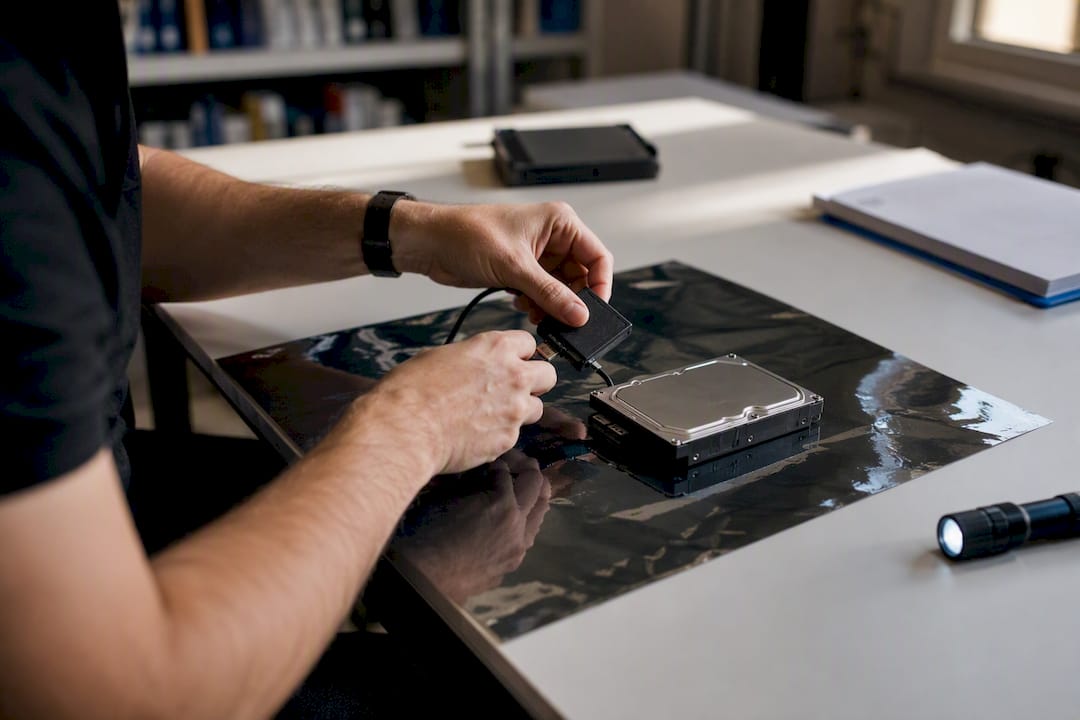
Computer forensics is the structured practice of identifying, preserving, recovering, analysing and presenting digital data so that it holds up as legally admissible evidence. That definition, drawn from the National Institute of Standards and Technology’s glossary, underpins the discipline whether the case sits in a criminal court, a civil dispute, or a corporate incident response.
The work spans criminal investigations, civil e-discovery, and internal misconduct enquiries. Wherever a laptop, phone, or server might hold the truth of what happened, computer forensics supplies the method for extracting it without corrupting it.
The discipline exists to serve a small number of goals, and they rarely change from case to case:
- Evidence integrity — data must be captured and stored without alteration.
- Repeatability — another examiner using the same methods should reach the same findings.
- Court admissibility — every step must survive scrutiny from opposing counsel or a judge.
Key Takeaways
Computer forensics succeeds when identification, imaging, preservation, analysis and presentation are followed in strict order with an unbroken chain of custody.
| Point | Details |
|---|---|
| Definition anchors everything | Computer forensics identifies, preserves, recovers, analyses and presents digital evidence for legal admissibility. |
| Process order is non-negotiable | Identification, acquisition, preservation, analysis and presentation each protect the phase that follows. |
| Chain of custody decides admissibility | An unbroken, documented record of evidence handling matters as much as the technical findings themselves. |
| Device type changes the approach | Encryption, remote wiping and jurisdictional issues vary sharply across PCs, mobiles, cloud and IoT. |
| Training is hands-on | Formal courses pair roughly 80 hours of instruction with 32 to 44 hours of lab work. |
Table of Contents
- What does computer forensics cover, and why does it matter?
- What is the standard computer forensics process?
- How is digital evidence made admissible in court?
- What techniques and tools do examiners actually use?
- How does the device or environment change the investigation?
- How is forensic analysis turned into a usable report?
- Is computer forensics the same as digital forensics or cybersecurity?
- Who does computer forensics, and how do you start a career in it?
- How hard is computer forensics to learn?
- How does a professional lab actually run an investigation?
- What surprises examiners most in real casework?
- Instructing a forensic examiner
- Frequently asked questions
- Sources
What does computer forensics cover, and why does it matter?
Computer forensics analysis now reaches far beyond the desktop PC that gave the field its name. Investigators routinely examine:
- Desktops and laptops (Windows, macOS, Linux)
- Mobile phones and tablets
- Cloud storage, email platforms and SaaS applications
- Removable media, external drives and IoT devices
Each of these turns up in a distinct set of scenarios. Criminal investigations rely on it to trace fraud, exploitation material, or communications tied to an offence. Civil e-discovery uses it to surface documents relevant to litigation. Corporate incident response leans on it after a data breach or suspected employee theft, and regulatory work calls on it when a business must demonstrate compliance after the fact.
None of this happens in isolation from cybersecurity. Computer forensics sits inside the broader practice of digital forensics and incident response, often shortened to DFIR. Where cybersecurity teams focus on stopping an active threat, forensic examiners focus on reconstructing exactly what happened and proving it. IBM notes that forensic findings increasingly feed directly into incident response workflows, shortening the gap between detecting a breach and containing it.
What is the standard computer forensics process?
Every credible investigation follows the same skeleton, regardless of the device or the jurisdiction. The order matters because each phase protects the integrity of the one that follows.
- Identification — determine which devices, accounts, or data sources are relevant and where they physically or logically sit.
- Acquisition — create a forensic image, a bit-for-bit copy of the original storage medium, rather than working from the live device.
- Preservation — hash the image (typically with SHA-256), lock the original away, and log every person who touches it from that point on.
- Analysis — examine the image using validated tools to recover deleted files, reconstruct timelines, and extract relevant artefacts.
- Presentation — compile findings into a report that a solicitor, judge, or jury can understand and act on.
The technical detail inside these phases is where cases are won or lost. Hashing produces a unique digital fingerprint of the acquired data; if the hash of the working copy ever fails to match the original, the integrity of the whole investigation is in question. Write-blockers are hardware or software devices that physically prevent an examiner’s workstation from altering the source drive during imaging, a safeguard that has become close to non-negotiable in serious cases.
Acquisition itself splits into two approaches. Static (offline) acquisition powers the device down and images the storage medium directly, the gold standard for reliability. Live acquisition captures a running system, including volatile memory, and is used when powering down would destroy encryption keys or evidence held only in RAM.
Chain of custody isn’t paperwork for its own sake. A single unexplained gap in who handled a device, and when, can be enough for a court to exclude the evidence entirely, regardless of how sound the technical analysis was.
IBM’s breakdown of the forensic process treats these phases as the baseline for repeatable, court-ready work, and the step-by-step guidance that follows this framework in practice reflects the same sequence.
How is digital evidence made admissible in court?
Chain of custody is the mechanism that turns a recovered file into admissible computer forensic evidence. It is a documented, unbroken record of every person who has handled a piece of evidence, and every action taken with it, from the moment it is seized to the moment it is presented.
A defensible chain of custody typically includes:
- Seizure documentation noting time, location, and the person collecting the device.
- A description of the device’s condition, including serial numbers and any visible damage.
- Secure, access-logged storage between collection and analysis.
- A signed log for every transfer between custodians.
- Verification hashes recorded at each handover point.
Search authority varies enormously by jurisdiction. In some countries a warrant is required before a device can be seized or imaged; in others, employer-owned equipment can be examined under different rules than personally owned devices. Privacy law adds a further layer, particularly around cloud data held by third-party providers. Nobody should assume the rules from one country, or one type of case, transfer cleanly to another, and specialist legal advice matters as much as technical skill here.
A forensic report intended for court usually contains:
- A plain-language summary of findings.
- The defined scope of the investigation.
- The methods and tools used, including version numbers.
- Detailed findings tied to specific exhibits.
- Hash values proving the exhibits weren’t altered.
- A statement of limitations, acknowledging what could not be established.
Public cases illustrate why this rigour exists. The FBI’s retained laptop from the Silk Road investigation is a well-known example of how a single seized device, properly handled, becomes a central evidentiary exhibit years into a prosecution. Solicitors weighing up how findings will hold up under cross-examination can find more detail on admissibility standards in computer forensics in legal disputes.
What techniques and tools do examiners actually use?
“Computer forensic science” rests on a fairly compact set of core techniques, even though the tools implementing them multiply every year.
- Imaging — capturing an exact copy of storage media.
- Hashing — generating a cryptographic checksum to prove data hasn’t changed.
- File carving — recovering files from unallocated space where the file system’s own index has been deleted.
- Timeline analysis — reconstructing the sequence of events from timestamps across multiple sources.
- Memory (RAM) forensics — extracting data that exists only while a system is running, such as encryption keys or open network connections.
- Malware analysis — reverse-engineering malicious code to understand its behaviour and origin.
- Network and packet capture — recording and inspecting traffic to trace an intrusion or exfiltration.
- Keyword searching and artefact parsing — filtering vast datasets down to what’s relevant to the case.
These map to distinct categories of tool: forensic imagers for acquisition, hex viewers for examining raw data at the byte level, timeline builders for correlating events, memory analysers for RAM captures, mobile extraction suites for phones and tablets, and increasingly, cloud-API tools for pulling data directly from SaaS providers under proper authority. Peer-reviewed research on volatile data handling and memory forensics documents how quickly this last category has evolved as more evidence now lives in memory rather than on disk.
Pro Tip: Reach for live acquisition only when the alternative is losing evidence entirely, such as an unlocked device with full-disk encryption that would lock again on shutdown. Live acquisition risks altering the very system you’re examining, so document your justification for choosing it before you start, not after.
Readers wanting a practitioner’s walkthrough of these choices can also consult steps of digital forensics for a tool-by-tool comparison.
How does the device or environment change the investigation?
A desktop or laptop investigation usually centres on the file system, registry, and browser artefacts, and it’s the most mature area of the discipline. Encryption is the most common obstacle, particularly full-disk encryption that locks investigators out entirely without a password or key.
Mobile devices introduce their own headaches: proprietary storage formats, app sandboxing, and the constant risk of remote wiping if a device stays connected to a network after seizure. Specialist mobile extraction suites exist precisely because standard imaging tools can’t always reach app-level data on a modern smartphone.
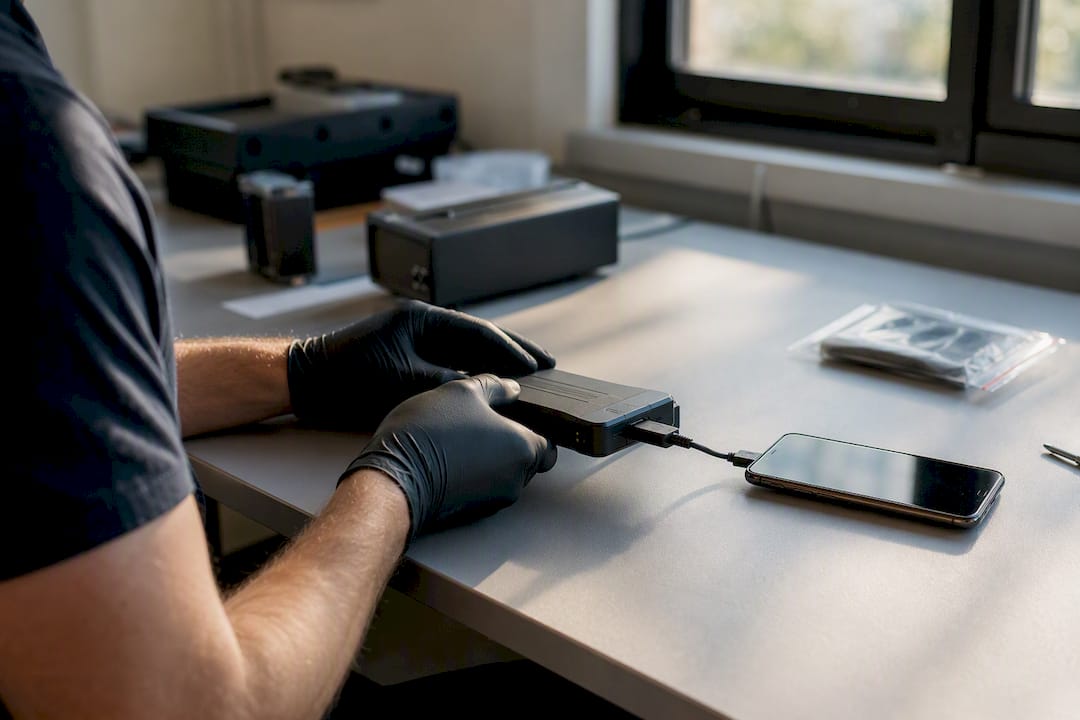
Cloud services shift the problem from a physical device to a legal one. Evidence might be distributed across servers in several countries, and getting it usually means provider cooperation, a subpoena, or a mutual legal assistance request. That can take considerably longer than imaging a hard drive sitting on a desk.
IoT devices, from smart doorbells to vehicle infotainment systems, generate evidence in formats that vary wildly by manufacturer, with little standardisation across the sector. A partner resource on forensic data recovery for Apple devices covers some of the practical constraints specific to Apple’s ecosystem, which behaves differently from Android at nearly every stage of extraction.
How is forensic analysis turned into a usable report?
Raw artefacts mean nothing to a solicitor or a jury until they’re organised into a coherent, defensible account. A forensic report built for legal use typically follows this outline:
- Executive summary of what was found.
- Scope of the engagement and what was excluded.
- Methodology and tools, including version numbers.
- Detailed findings mapped to specific exhibits.
- Hash values for every exhibit examined.
- A clear statement of limitations.
Best practice for documentation runs alongside that structure:
- Record exact timestamps for every action taken during analysis.
- Note the specific tool version used for each step, not just the tool name.
- Log every command run against the evidence, particularly in command-line workflows.
- Preserve an unbroken record of evidence provenance from seizure to report.
Expert witnesses carry a distinct responsibility inside this process. Their duty is to the court, not to whichever side instructed them, which means findings must be presented with impartiality even when a client is hoping for a particular conclusion. A good expert also explains technical detail in plain language a non-specialist judge or jury can follow, and can defend every finding under cross-examination without contradiction. Reports built to this standard, and reviewed against current best-practice guidance, tend to survive challenge far better than those assembled after the fact.
Is computer forensics the same as digital forensics or cybersecurity?
The terms overlap enough that people use them interchangeably, but the distinctions matter in practice. Computer forensics traditionally refers to computers and storage media specifically. Digital forensics is the broader umbrella, covering computers, mobile devices, networks, and cloud data together. Cybersecurity is broader still, focused on preventing and containing attacks rather than proving what happened after the fact.
- Forensic examiners aim to produce admissible evidence; cybersecurity teams aim to stop an active threat.
- A forensic investigation is typically retrospective; a security response is typically live.
- Both roles increasingly sit inside the same DFIR function at larger organisations.
For a suspected active breach, involve incident response first. For litigation, an employee dispute, or anything likely to end up in front of a judge, computer forensics needs to lead from the outset.
Who does computer forensics, and how do you start a career in it?
Forensic examiners work across police digital forensic units, private consultancies, and in-house corporate security teams. Common roles include the forensic examiner (hands-on imaging and analysis), the incident responder (live investigation during an active breach), the forensic analyst (deeper artefact and malware work), and the expert witness (court testimony and report review).
Recognised certifications signal different strengths:
- CFCE (Certified Forensic Computer Examiner) — broad computer forensic competency.
- EnCE (EnCase Certified Examiner) — proficiency with a specific widely used forensic platform.
- GCFA (GIAC Certified Forensic Analyst) — advanced analysis and incident response skills.
- OSCE (Offensive Security Certified Expert) — deep technical exploitation and security skills, often paired with forensic work.
A sensible learning path runs roughly:
- Build core knowledge of file systems, operating systems and networking.
- Learn basic scripting (Python is the common choice) to automate artefact parsing.
- Study the legal framework governing evidence in your jurisdiction.
- Get hands-on lab time recovering and analysing test images before touching real casework.
How hard is computer forensics to learn?
Basic familiarity, enough to understand a report and follow a chain-of-custody argument, takes a few weeks of focused study. Reaching practitioner competence, where you could run a straightforward investigation unsupervised, takes considerably longer and depends heavily on hands-on lab time rather than reading alone.
Core prerequisites include a working knowledge of file systems, familiarity with major operating systems, basic networking concepts, some scripting ability, and a grounding in the legal principles governing evidence. Formal courses reflect this balance: one example programme runs around 80 hours of instruction alongside 32 to 44 hours of lab work, which tells you how much of the discipline is learned by doing rather than reading.
A useful first exercise: download a publicly available forensic disk image, hash it, and try to reconstruct a simple file-deletion timeline using free tools before attempting anything with real casework.
How does a professional lab actually run an investigation?
Theory maps onto practice through a fairly rigid intake and triage process. A typical lab workflow runs: intake (client instruction and legal scoping), triage (identifying which devices and data sources matter), imaging (forensic acquisition with hashing), analysis (artefact recovery and timeline building), review (peer checking before findings are finalised), and reporting (producing the court-ready document).
Intake and imaging checklists commonly cover:
- Confirming legal authority to examine the device before touching it.
- Photographing and labelling the device on arrival.
- Recording make, model, and serial number.
- Generating and logging a hash immediately after imaging.
Computerforensicslab applies this workflow across digital forensic investigations for legal, corporate and private clients, with the chain-of-custody discipline built in from the first checklist item.
Pro Tip: Ask any provider you’re instructing to show you their intake checklist before the engagement starts. If they can’t produce one, chain of custody is likely being improvised rather than documented.
What surprises examiners most in real casework?
Encrypted devices and incomplete logs are the two constraints that come up again and again in practice, and they rarely announce themselves in advance. Two anonymised patterns illustrate how examiners work around them.
In one matter, a suspect device used full-disk encryption discovered only after seizure; live acquisition captured the encryption key from memory before shutdown became unavoidable. In another, a company’s log retention had quietly expired weeks before the incident, forcing examiners to rebuild a timeline from browser caches and file metadata instead, and to state that limitation plainly in the final report.
Instructing a forensic examiner
Getting the process right from the first phone call matters more than almost anything else in a case, because mistakes made at seizure are rarely fixable later. Computerforensicslab’s digital forensics services cover the full workflow described here, from intake and imaging through to expert witness reporting, for solicitors, corporate legal teams, and private clients alike. Anyone weighing up whether to instruct a forensic provider can also review the practical guidance in choosing a cybercrime investigation company before making that call.
Frequently asked questions
What is the simplest computer forensics definition?
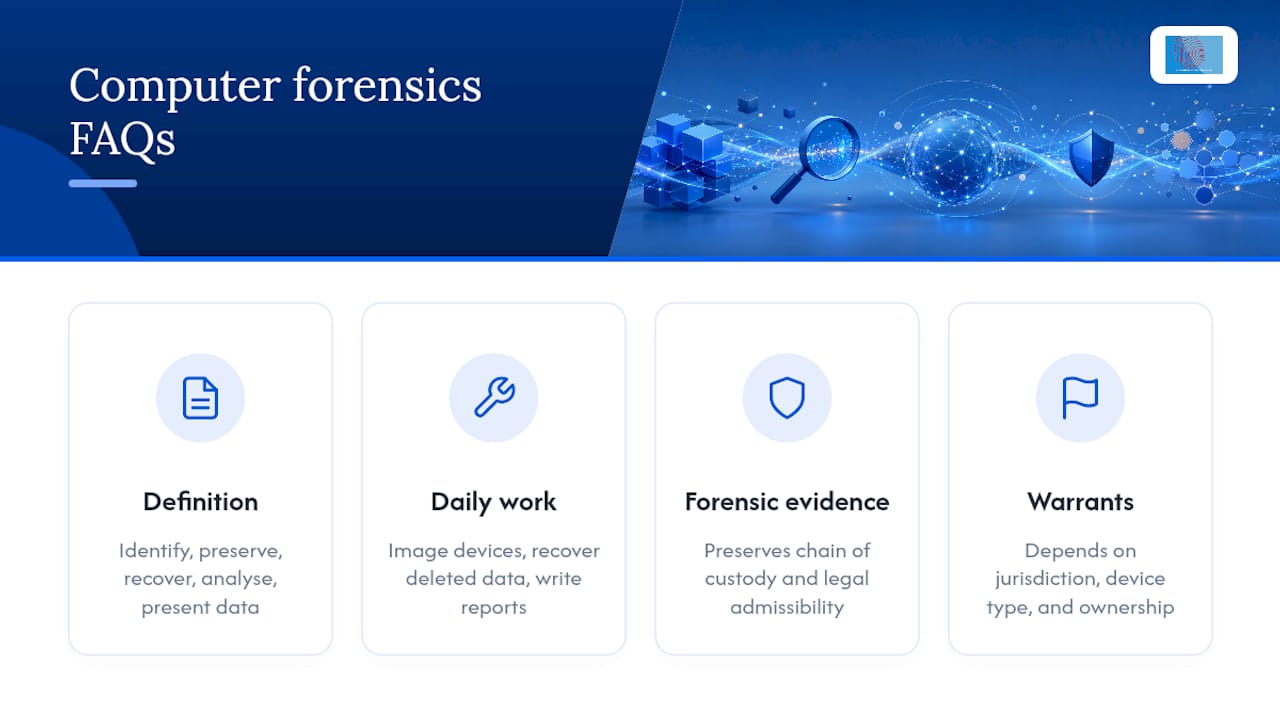
It is the practice of identifying, preserving, recovering, analysing and presenting digital data so that it remains legally admissible as evidence.
What do computer forensics professionals actually do day to day?
They image devices, recover deleted or hidden data, analyse artefacts to build a timeline, and write reports that hold up under legal scrutiny.
Is pc forensics different from computer forensics?
No. “Pc forensic” and “pc forensics” are informal shorthand for the same discipline, typically referring specifically to desktop and laptop investigations rather than mobile or cloud work.
How is computer forensic evidence different from ordinary data recovery?
Standard data recovery aims to restore lost files. Computer forensic evidence recovery does the same thing while preserving chain of custody and legal admissibility throughout.
Do I need a warrant for a computer forensics investigation?
It depends entirely on jurisdiction, the type of device, and who owns it. Rules differ sharply between personal devices, employer-owned equipment, and cloud-hosted data, so specific legal advice is essential.
This article is general information, not a substitute for advice from a qualified lawyer. Consult a qualified legal professional about your own circumstances before acting on anything here.
Sources
For procedural depth beyond this explainer, consult NIST’s forensic glossary for standards language, IBM’s process breakdown for DFIR integration, and TechTarget’s definition for the data recovery and compliance angle. Jurisdictional law varies, so pair any of these with local legal guidance before acting on a real case.
- computer forensics – Glossary | CSRC
- What is Computer Forensics? | IBM
- PMC article on digital forensics (peer-reviewed)
- Course description: PC forensics investigations (ATC)