

- Data recovery success depends on quickly identifying failure types and executing appropriate techniques to prevent permanent loss. Logical tools work well for deleted or corrupted files on intact hardware, while physical recovery requires controlled environments and hardware repairs. Using sector-by-sector imaging safeguards original media, and matching methods to failure conditions enhances recoverability and legal admissibility.
When data disappears, whether through accidental deletion, drive failure, or corruption, the difference between full recovery and permanent loss often comes down to which data recovery techniques you apply, and how quickly. Not all failures are equal, and not all recovery methods suit every situation. A head crash demands a cleanroom. A deleted file demands write-freeze. A corrupted database demands surgical repair, not a full restore. This guide breaks down the most effective techniques across logical, physical, forensic, and specialised recovery scenarios so you can make the right call for your specific situation.
Table of Contents
- Key takeaways
- 1. How to evaluate data recovery techniques before you start
- 2. Logical recovery: software tools for deleted or corrupted files
- 3. Physical data recovery: cleanroom operations and chip-off methods
- 4. Imaging and cloning: protecting the original during recovery
- 5. RAID array recovery: virtual reconstruction first
- 6. Database recovery: surgical repair over full restoration
- 7. Comparison of main data recovery techniques
- 8. Choosing the right approach for your situation
- My perspective on what actually matters in data recovery
- Professional data recovery from Computerforensicslab
- FAQ
Key takeaways
| Point | Details |
|---|---|
| Identify failure type first | Distinguishing logical from physical failure determines whether software tools or hardware repair is needed before any recovery attempt. |
| Never write to the affected drive | Avoid installing recovery software or saving files to the source drive, as doing so risks overwriting recoverable data. |
| Imaging protects original media | A sector-by-sector clone lets you work on a copy, preserving the original for legal or repeat recovery attempts. |
| RAID and databases need specialist tools | Virtual RAID reconstruction and targeted database repair tools prevent unnecessary full restores and reduce data loss risk. |
| DIY attempts can cause permanent loss | Repeated incorrect recovery attempts on failing hardware can destroy recoverable data areas beyond any chance of retrieval. |
1. How to evaluate data recovery techniques before you start
Logical versus physical failure identification is the critical first step in any professional recovery workflow. A logical failure means the hardware is functioning but the file system, partition table, or metadata is damaged. A physical failure means the hardware itself has broken down. Applying software tools to a physically failing drive does not just waste time. It can finish off the very data you are trying to save.
Media type also shapes your choices significantly. Hard disc drives (HDDs), solid state drives (SSDs), NAND flash storage, and RAID arrays each behave differently under failure conditions. SSDs complicate matters further because wear-levelling on SSDs means deleted data does not sit neatly in one recoverable location as it does on an HDD.
Two metrics from disaster recovery planning are genuinely useful here even for individuals. Recovery Point Objective (RPO) defines how much data loss is acceptable in time terms. Recovery Time Objective (RTO) defines the maximum time you can afford to spend restoring access. RPO and RTO frame not just which technique to use but how much resource to commit to it.
Consider data sensitivity as well. Medical records, legal evidence, and financial data demand methods that preserve integrity and maintain chain of custody. Personal holiday photos warrant a different level of investment. Matching effort to value is not cynicism. It is good judgement.
Pro Tip: Before attempting any recovery, photograph the drive’s condition, note any noises or error messages, and write down the exact sequence of events leading to data loss. This information helps a professional engineer significantly and saves time.
2. Logical recovery: software tools for deleted or corrupted files
Logical recovery covers situations where the hardware is intact but the file system or directory structure has been damaged or deleted. This is the most common scenario most people encounter, covering accidental deletion, formatting errors, and partition loss.
The core workflow involves scanning the drive for recoverable file signatures and metadata, then restoring those files to a separate location. Tools like Recuva, GetDataBack, and DiskDigger are widely used for this purpose. The recovery software scans for intact file signatures even when directory entries are gone, which is why recently deleted files are often recoverable when the drive has not been heavily used since deletion.
Recovery success on deleted files depends heavily on whether the drive has been written to after deletion. Every new file write risks overwriting the sectors containing your lost data. This is why the single most important rule in logical recovery is to stop using the affected drive immediately.
- Never install recovery software on the same drive you are recovering from
- Save recovered files to a completely separate device or drive
- Use a preview function before committing to recovery to assess what is retrievable
- Consider creating a read-only image of the drive first and recovering from the image
Pro Tip: If your drive is making unusual sounds such as clicking or grinding, stop the logical recovery attempt immediately. Those sounds indicate mechanical failure, and running software on a physically failing drive will accelerate the damage.
Logical tools have real limits. They cannot recover files from drives with physical damage, and they struggle with heavily fragmented data or files overwritten multiple times.
3. Physical data recovery: cleanroom operations and chip-off methods
Physical recovery is needed when hardware components have failed. Head crashes, PCB failures, seized motors, and NAND chip damage all fall into this category. These situations require specialist equipment and, in most cases, a controlled environment.
A cleanroom is not optional when a hard disc drive needs to be opened. Even a single dust particle landing on a platter can cause further read errors. Professional recovery facilities maintain Class 100 cleanrooms where drive disassembly and platter transfer are carried out safely.
Physical recovery without a cleanroom on an HDD is essentially irreversible. Once a contaminated head scrapes a platter, the data in that region is gone. There is no software fix for physical media damage.
The major physical data recovery techniques include:
- Head stack replacement: Transplanting the read/write heads from a matching donor drive to restore read capability
- Platter transplant: Moving platters to a new drive body when the original motor or spindle has failed
- PCB repair or replacement: Fixing or replacing the circuit board, often combined with firmware transfer from the original board
- Chip-off recovery: Physically removing NAND flash chips from mobile devices or USB drives, reading them directly with specialist hardware readers
- Micro-soldering: Repairing broken solder joints or damaged connectors on circuit boards to restore electrical connectivity
Professional recovery starts by assessing device health and performing hardware validation before any imaging attempt. This protects the drive from further degradation during the recovery process itself.
4. Imaging and cloning: protecting the original during recovery
Creating a sector-by-sector clone before performing any logical or physical reconstruction is one of the most important steps a professional recovery engineer takes. Working on a clone rather than the original media means that if something goes wrong during recovery, you still have the original to fall back on.
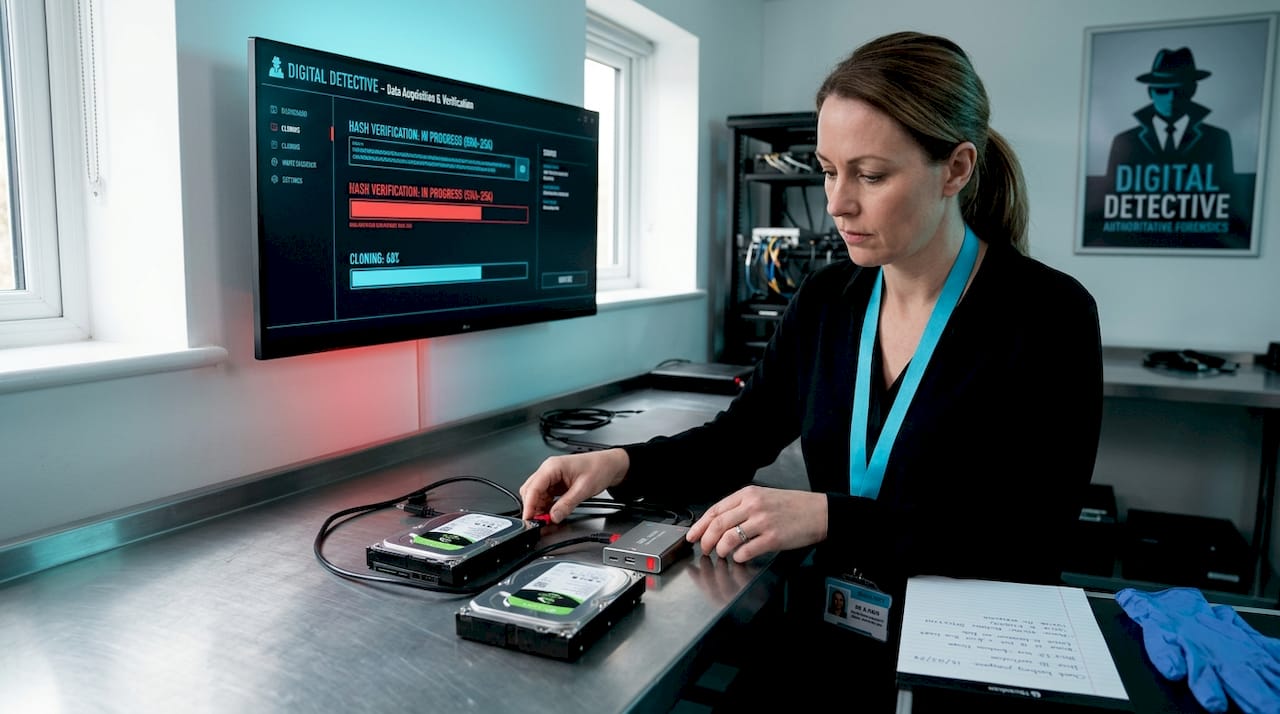
This principle is especially critical in legal and forensic contexts. Evidence preservation in recovery requires that the original media remain unmodified. Any write operation to the original, even a single sector, can compromise admissibility of recovered data in court.
Forensic imaging tools such as FTK Imager and dd create verified copies that include hash values confirming the clone is an exact duplicate. Recovery then proceeds from the clone, not the original. This workflow applies to both consumer recoveries and legal cases where chain of custody matters.
5. RAID array recovery: virtual reconstruction first
RAID recovery is considerably more complex than single-drive recovery. RAID reconstruction requires virtually rebuilding the RAID configuration before any file system analysis can take place. Get the configuration wrong and you corrupt the very data you are trying to read.
The key principles for RAID recovery include:
- Imaging every member drive individually before any reconstruction attempt
- Identifying the RAID level, stripe size, and parity layout through analysis of drive content
- Using specialist tools to test virtual reconstructions non-destructively before committing
- Never trusting the RAID controller itself if it contributed to the failure
RAID 5 and RAID 6 arrays offer redundancy, but that redundancy disappears when two or more drives fail simultaneously. Rebuilding a degraded array with a failing member drive is one of the most common causes of catastrophic RAID data loss. A healthy virtual reconstruction from images is far safer than forcing the controller to rebuild in place.
6. Database recovery: surgical repair over full restoration
Database corruption can stem from hardware failures, software bugs, abrupt shutdowns, or storage errors. Full database restoration is not always necessary or even desirable when corruption is partial.
Oracle’s DBMS_REPAIR package allows DBAs to detect, report, and repair corrupted database objects and isolate corruption without requiring a full restoration. This means accessible data remains available while the damaged objects are handled in isolation.
Targeted database repair through corrupted index rebuilding and metadata reconstruction is often far faster and less risky than restoring from a backup that may be hours or days old. Equivalent approaches exist across SQL Server, PostgreSQL, and other database platforms through their own repair and consistency-check utilities.
The general workflow for database recovery prioritises identifying which objects are corrupted, determining whether the corruption is in data pages, index pages, or logs, and then applying the least disruptive fix that restores functionality.
7. Comparison of main data recovery techniques
| Technique | Best suited for | Typical cost | Recovery risk | Speed |
|---|---|---|---|---|
| Logical software recovery | Deleted files, formatting errors | Low to moderate | Low if done correctly | Fast |
| Physical cleanroom recovery | Head crash, motor failure, HDD damage | High | Low with professionals | Slow |
| Chip-off recovery | Damaged flash, mobile devices | High | Moderate | Moderate |
| RAID reconstruction | Multi-drive array failures | Very high | Moderate to high | Slow |
| Database repair tools | Partial corruption in live databases | Moderate | Low to moderate | Moderate |
| Forensic imaging | Legal cases, evidence preservation | Moderate to high | Very low | Moderate |
This table reflects general patterns rather than fixed prices, as complexity within each category varies significantly. A simple RAID 1 reconstruction costs far less than recovering a failed five-drive RAID 6 with two failed members.
8. Choosing the right approach for your situation
Matching technique to situation is where data recovery decisions are won or lost. Here is a practical framework:
- Try software tools if: the drive is functioning normally, you can hear no unusual sounds, and the failure is clearly logical such as accidental deletion or formatting
- Stop and call a professional if: the drive is clicking, not recognised by BIOS, overheating, or the software scan returns zero results on a drive you know had data
- Use forensic methods if: the recovered data may be used in legal proceedings, a disciplinary investigation, or any situation where chain of custody matters
- Prioritise imaging first: regardless of method, clone or image before recovery whenever the drive’s health is uncertain
Improper user interventions risk permanent data loss by running software on failing hardware or making repeated recovery attempts that write to unstable sectors. One failed DIY attempt on a physically compromised drive can close the window on professional recovery permanently.
Choosing a certified provider matters. Look for engineers with forensic credentials, documented cleanroom facilities, and the ability to provide a no-data, no-fee evaluation before committing to cost.
My perspective on what actually matters in data recovery
I have worked across enough forensic engagements to form a firm opinion on this: the majority of cases where recovery fails or evidence is compromised come not from the failure itself, but from what happens in the hours after it is discovered.
People panic. They run every tool they can find, reinstall operating systems, reformat drives thinking it will help, and try the same failing software scan six times in a row. Each of those actions erodes recoverable territory. Data recovery best practices for legal professionals make this point plainly: do less, preserve more.
The legal dimension adds another layer that most guides ignore. Recovery is not just about getting files back. It is about getting them back in a form that is usable, trustworthy, and if necessary, admissible. A recovered file with no hash verification, no chain of custody documentation, and no write-block logging is forensically worthless even if the content is intact.
My honest recommendation is this: if the data matters, treat it as evidence from the moment you realise it is gone. Do not touch the drive. Do not run software. Call a professional who understands both the technical and legal dimensions of what you are dealing with.
— Computer
Professional data recovery from Computerforensicslab
When data loss is serious, whether from hardware failure, corruption, or legal investigation, Computerforensicslab provides the technical depth and forensic rigour the situation demands. Based in London, the team offers forensic data recovery services covering logical and physical recovery, cleanroom drive repair, RAID reconstruction, chip-off procedures, and full forensic imaging with chain of custody documentation. Every case is evaluated before commitment, with no-data, no-fee options available. For legal professionals and businesses where evidence integrity is non-negotiable, recovery for legal investigations is handled with court-ready documentation from the outset. Contact Computerforensicslab to discuss your situation.
FAQ
What is the first step in any data recovery attempt?
Stop using the affected device immediately to prevent overwriting recoverable data, then identify whether the failure is logical or physical before choosing a recovery method.
Can data be recovered from a physically damaged hard drive?
Yes, in many cases. Physical data recovery through cleanroom operations, head replacement, or platter transplant can retrieve data from drives that are not readable through software alone, provided damage has not destroyed the media surface itself.
When does data recovery require a professional?
You should contact a professional when a drive makes clicking or grinding noises, is not recognised by the system, or when initial software scans return no results on a drive known to contain data.
Is recovered data admissible in court?
Recovered data can be admissible when it is collected using forensic imaging with verified hash values, write-blocking, and a documented chain of custody. Data recovered without these controls may be challenged in legal proceedings.
What is the difference between logical and physical data recovery?
Logical recovery addresses file system and metadata damage on functioning hardware using software tools. Physical recovery addresses hardware component failures and requires specialist equipment including cleanrooms and drive transplant procedures.