
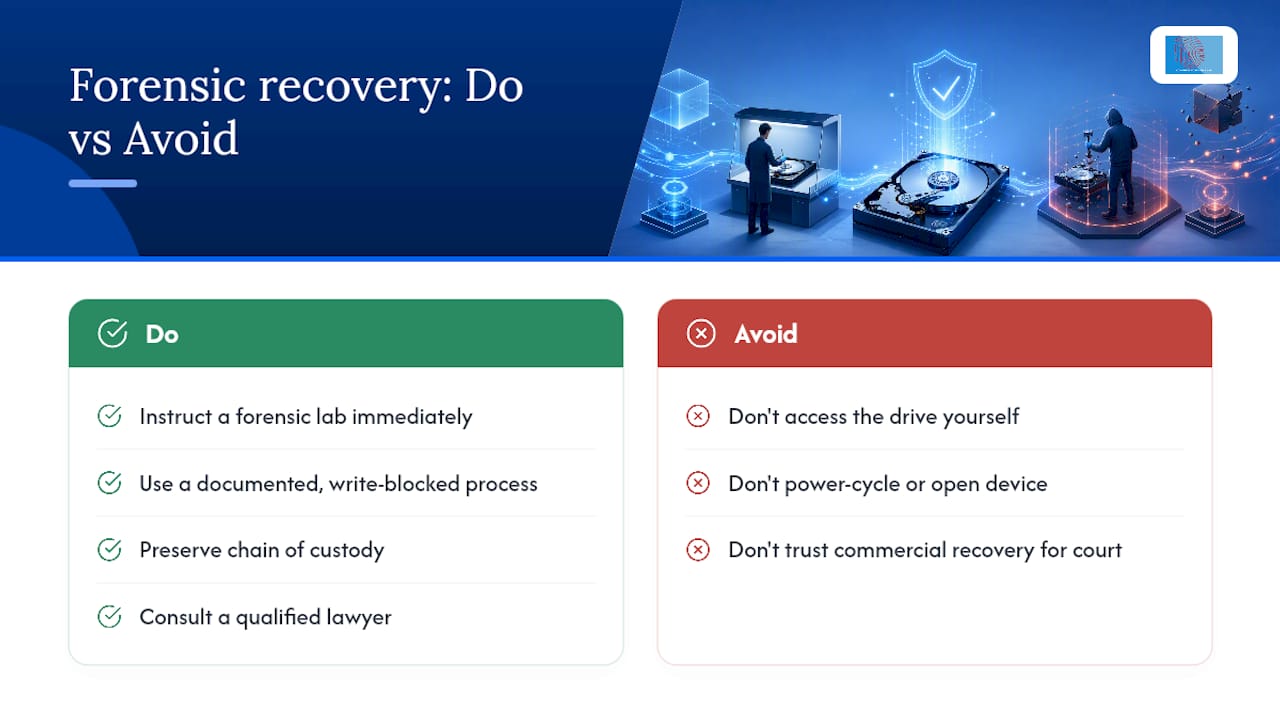
If you need legally admissible recovery from a hard disk, stop, preserve the device, and instruct a qualified forensic lab immediately. Do not power the drive on, and do not run consumer recovery software. NIST SP 800-86 and SWGDE guidance both treat the first hour as decisive, and Computerforensicslab builds every engagement around those standards.
Your immediate checklist:
- Secure the device and restrict access to named custodians only.
- Note its physical and power state before touching anything.
- Photograph the drive, its connections, and any visible damage.
- Bag and label it in anti-static packaging with a unique reference.
- Never power it on or connect it to another machine.
Pro Tip: If a warrant return or client instruction letter is being drafted, cite NIST SP 800-86 and SWGDE by name. Investigating officers and opposing counsel take those references seriously.
Key Takeaways
Legally admissible hard-disk recovery depends on preserving the original device, imaging with a write-blocker, verifying with NIST-approved hashes, and documenting every step for the report.
| Point | Details |
|---|---|
| Preserve, don’t power on | Never boot a suspect drive or run consumer recovery tools before a lab examines it. |
| Document chain of custody | Record names, dates, times, and purpose for every transfer of the exhibit. |
| Use hardware write-blockers | Acquire images only through a write-blocker, and store hashes separately from images. |
| Escalate damaged media | Clicking, water, or fire-damaged drives need cleanroom and firmware specialists, not standard imaging. |
| Commission a specialist lab | Computerforensicslab applies NIST SP 800-86 and SWGDE guidance to deliver court-ready reports and witness testimony. |
Table of Contents
- How do you recover data from a hard disk in the first hour?
- What does a defensible chain of custody actually require?
- Can a clicking or fire-damaged drive still be recovered forensically?
- Physical or logical imaging: which does your case need?
- What must the forensic report contain to survive cross-examination?
- How should a legal team vet a forensic recovery provider?
- How long does forensic recovery take and what drives the cost?
- What we see when the rules aren’t followed
- How Computer Forensics Lab supports legal and law enforcement instructions
- Frequently asked questions
- Sources
How do you recover data from a hard disk in the first hour?
The first hour sets the ceiling on what a lab can later prove in court. Everything from this point is about avoiding actions that a defence expert could later argue compromised the evidence.
- Photograph the device exactly as found, including cabling, case damage, and any warning lights or sounds.
- Record the power state (on, off, sleeping) and who first accessed the machine.
- Package the drive in an anti-static bag, seal it, and label it with a unique exhibit number.
- Notify the forensic lab or investigating officer before any further handling occurs.
Do not plug the disk into another computer to “check” it. Do not run consumer recovery tools, even ones marketed as safe or read-only. Do not attempt to open a mechanically failing drive outside a cleanroom.
Pro Tip: If other forensic disciplines are involved, such as fingerprint or DNA recovery, coordinate packaging order with those teams first. Digital evidence handled after biological evidence collection reduces the risk of cross-contamination affecting either exhibit.
What does a defensible chain of custody actually require?
A chain-of-custody record has to answer one question at every stage: who had this exhibit, and what did they do with it? NIST’s evidence handling guidance specifies that documentation must include names, dates, times, and the stated purpose of each transfer, alongside a unique exhibit identifier.
Hardware write-blockers are non-negotiable at the acquisition stage. They physically prevent any write command reaching the original media, which is why every forensic image is taken from a blocked source rather than the original disk itself. Examiners then work exclusively from that image or a verified copy, never the source drive.
Hashes deserve separate storage from the images they verify, according to NIST’s guidance on digital evidence preservation. Multiple copies that share an identical hash value can be treated as equivalent to the original for evidentiary purposes.
| Custody Field | Why It Matters |
|---|---|
| Exhibit identifier | Ties every subsequent action back to one specific, traceable item. |
| Transfer date and time | Establishes an unbroken timeline from seizure to analysis. |
| Custodian name and role | Shows exactly who was accountable at each stage. |
| Purpose of transfer | Distinguishes legitimate examination from unexplained handling. |
Solicitors instructing a lab should ask for confirmation on four points: the device was photographed on arrival, packaging remained sealed until logged, a write-blocker was used throughout acquisition, and acquisition hashes were recorded before analysis began.
Can a clicking or fire-damaged drive still be recovered forensically?
Yes, but only through controlled intervention, never through standard imaging. A clicking drive usually signals a failing read/write head; running an ordinary forensic imager against it can grind the platter surface and destroy the very sectors you need. SWGDE’s guidance on damaged hard drives is explicit that failed or physically compromised media must go through trained technicians in a controlled cleanroom environment before any imaging is attempted.
Water or fire damage, and PCB burn marks, each demand a different first response:
- Clicking or grinding noise: power off immediately, do not attempt repeat power cycles.
- Water damage: do not dry the drive with heat, keep it sealed and cool.
- Fire or burn marks on the circuit board: do not swap the board yourself.
Cleanroom repair and firmware-level correction, including head-stack replacement or platter transplant, sit entirely outside standard forensic imaging practice and require specialist tools and a particulate-controlled environment.
When submitting a damaged drive for evidence recovery, include a cover sheet describing the damage, any components already removed, and photographs taken before packaging.
Pro Tip: Ask the lab for photographs of the drive’s internal state before any repair work begins. That record becomes part of your disclosure bundle and pre-empts challenges to the recovery method later.
Physical or logical imaging: which does your case need?
A physical image captures every sector of the disk, including deleted and unallocated space, and is the standard for evidence that may need deep forensic analysis. A logical image captures only the active file system, faster to acquire but blind to deleted data. A forensic clone is a bit-for-bit copy made specifically to be examined in place of the original. Most legal matters require a physical image as the baseline, with logical extracts produced afterwards for review efficiency.
Verification relies on cryptographic hashing using NIST-approved algorithms, generated immediately after acquisition and checked again before analysis and before disclosure. Some labs run two separate hash algorithms in parallel as a safeguard against a collision in either one.
SSDs complicate repeat imaging. TRIM/UNMAP commands run continuously in the background on solid-state media, and a NIST scientific foundation review confirms that imaging the same SSD twice, even hours apart, can produce different hash values as the drive silently reallocates blocks. That is not examiner error; it is how the hardware behaves.
- Encrypted volumes (BitLocker, FileVault) often require live acquisition to capture keys held only in memory.
- Order of volatility matters: RAM and open network connections must be captured before the machine is shut down, never after.
What must the forensic report contain to survive cross-examination?
SWGDE’s report-writing requirements set out the minimum content a court-defensible report must carry:
- Case identifier and stated purpose of the examination.
- Methodology described step by step, including any deviation from standard procedure.
- Tool names and version numbers used at every stage.
- Acquisition and verification hash values.
- Supporting exhibits (screenshots, tool logs, photographs) and final disposition of the evidence.
Reproducibility is the test a report has to pass. Another qualified examiner, working from the same image and the same documented method, should reach the same conclusions. Findings must also be written so counsel and a lay jury can follow them, not just fellow examiners; courts increasingly scrutinise whether a witness can explain and defend their method, a standard set out in guidance on evaluating digital forensic expert witnesses.
Pro Tip: Request sample exhibits and redacted tool logs from your expert before trial, not during it. Disclosure runs smoother when counsel has already seen the format the court will see.
How should a legal team vet a forensic recovery provider?
Ask these questions before instructing anyone:
- Can you produce a sample report showing methodology, tools, and hash verification?
- Do you have in-house cleanroom capability, or do you subcontract damaged-drive work?
- What is your realistic turnaround for imaging versus complex recovery?
- Will an examiner attend as a witness if the matter proceeds to trial?
Confirm the essentials: documented chain-of-custody process, tool validation records, and willingness to explain any deviation from standard method.
Red flags include a refusal to document methods, reliance on ordinary consumer read/write recovery on failed media (a practice SWGDE specifically warns can destroy the evidentiary trail), or no cleanroom facility for physically damaged drives.
Pro Tip: A provider’s use of freeware or open-source tools is not itself a problem, provided they can document validation and reproducibility. Ask for that documentation directly rather than assuming proprietary tools are automatically more defensible.
How long does forensic recovery take and what drives the cost?
Routine imaging of a healthy drive typically takes hours; a straightforward deleted-data recovery adds a day or two for analysis. Cleanroom or firmware-level work on a failed drive can run to several weeks, particularly where a platter transplant or head-stack repair is needed.
Cost climbs with damage severity, encryption (which may demand live acquisition or key recovery), data volume, and the amount of expert reporting and witness time the case requires. Budget contingency for damaged media specifically, and flag your most time-critical exhibits for expedited examination up front rather than after a deadline appears.
What we see when the rules aren’t followed
Most of the damage we see didn’t happen at the crime scene. It happened afterwards, when someone plugged a drive into a laptop “just to check,” or ran a consumer tool on a clicking disk. Cases built on documented, write-blocked acquisition survive cross-examination. Cases built on shortcuts rarely do.
How Computer Forensics Lab supports legal and law enforcement instructions
Computerforensicslab is built specifically for the chain-of-custody standard this article describes, not adapted from a consumer recovery workflow. Our services cover forensic data recovery, cleanroom repair for physically damaged media, write-blocked imaging with dual-algorithm hash verification, and expert reports drafted to SWGDE’s report-writing requirements from the outset.
Instructing us starts with a short evidence submission checklist: exhibit photographs, current chain-of-custody documentation, and a note on any known damage or encryption. From there you receive a written scope, acquisition hashes on completion, and a report structured for direct use by counsel or the court. If the matter may proceed to trial, our examiners are available for witness testimony.
If a legal team, solicitor, or corporate client needs to commission a recovery, visit our digital forensics services page to start the instruction process today. For readers facing a data-breach or privacy dispute alongside the technical recovery, specialist legal advice is available through Javitch Law Office’s data breach practice.
Frequently asked questions
Can I recover data from a hard drive myself if it might be used in court?
No. Any access outside a documented, write-blocked forensic process risks altering timestamps or metadata, which opposing counsel can challenge to exclude the evidence entirely.
How is forensic recovery different from a standard data recovery service?
Forensic recovery preserves an unbroken chain of custody and produces verifiable hashes and a reproducible report; commercial recovery typically prioritises speed and file retrieval over evidentiary integrity.
What happens if the drive is encrypted with BitLocker or FileVault and the key is unavailable?
Examiners attempt live acquisition to capture keys held in volatile memory where the machine is still running; without that, recovery may be limited to what the file system exposes without decryption.
Does deleted data always come back?
Not always. Recovery of deleted files is often possible but is limited by file-system behaviour and, on SSDs, by TRIM commands that can permanently clear marked-for-deletion blocks.
How quickly should we instruct a forensic lab after discovering a suspect device?
Immediately. Delay increases the risk of accidental power cycling, drive degradation, or well-meaning but damaging attempts to check the device internally.

This article is general information, not a substitute for advice from a qualified lawyer. Consult a qualified legal professional about your own circumstances before acting on anything here.
Sources
- Guide to Integrating Forensic Techniques into Incident Response (NIST)
- Best practices for computer forensic acquisitions (SWGDE, 2025-08-05)
- Digital investigation techniques: a NIST scientific foundation review