If the handset is powered on, unlocked, and the examiner has consented authority, run a logical extraction over ADB or a helper APK before anything else. A locked but powered device should be isolated from all networks and left untouched until triage can be lawfully performed. A device that is off, encrypted, or in a Before First Unlock state needs preservation and referral to a specialist lab. Every step must be hashed, logged, and recorded to protect chain of custody, because volatile data does not wait for paperwork.
TL;DR:
- Logical extraction via ADB or helper APK is quick and low-risk but cannot recover deleted data or unallocated space.
- Physical extraction images the entire flash memory and is the most comprehensive but requires invasive hardware methods and poses higher data loss risk.
- Encryption and devices in a before-first-unlock state significantly hinder forensic access, often necessitating specialized lab hardware or legal bypass.
- Proper documentation, hashes, and chain-of-custody procedures are crucial to ensure evidence admissibility across different extraction methods.
- Immediate triage is suitable for volatile investigations, but deeper physical extraction should be reserved for cases involving encryption or locked devices with high evidentiary value.
Table of Contents
- What are the main android forensic acquisition methods?
- How do you perform a step-by-step android acquisition?
- Where do the important android artefacts live?
- Which tools support a reproducible workflow?
- How should you handle evidence and prove chain of custody?
- What limits android forensic examination, legally and technically?
- What Computer Forensics Lab sees in real android cases
- Triage now or send it to the lab?
- How Computer Forensics Lab supports android device investigations
- Standards and repositories worth keeping close
- Sources
- FAQ
What are the main android forensic acquisition methods?
Android forensic acquisition splits into four families, and choosing wrongly can cost an examiner the one shot they get at volatile data. Each method recovers a different layer of the device and carries its own risk profile.
- Logical extraction pulls user-visible data through ADB or a helper application. It is fast, low-risk, and works on most cooperative or authorised devices, but it misses deleted records and unallocated space.
- File-system extraction captures the full directory structure, including SQLite databases and cached files not exposed through normal APIs. It usually needs root access or a debug-enabled build.
- Physical extraction images the raw flash memory bit-for-bit, recovering deleted content and slack space. It typically requires chip-off, JTAG, or an ISP (In-System Programming) connection and is the most invasive method available.
- Volatile (RAM) extraction captures live memory, which can occasionally include encryption keys, but it demands a controlled lab environment and device-specific chipset knowledge.
Feasibility depends heavily on bootloader lock status, encryption scheme, Android security patch level, and chipset vendor. NIST’s mobile forensics guidance stresses that device diversity is the single biggest obstacle to standardising these procedures across an entire caseload.
How do you perform a step-by-step android acquisition?
A cooperating or legally authorised device gives you the cleanest shot at admissible evidence, provided the sequence below is followed without deviation.
- Document the scene first. Photograph the device, note its power state, screen content, IMEI or serial number, and any attached cables before touching anything.
- Confirm and record authority. Log the legal basis or informed consent in writing before any interaction with the handset begins.
- Isolate the device. Place it in a Faraday bag or enable airplane mode where safe, cutting off remote wipe commands and network-triggered changes.
- Run safe ADB triage. Confirm connection with
adb devices, then capturegetpropfor build details,dumpsysfor system state, and a fullbugreportfor a system snapshot. - Pull key directories. Extract
/sdcard, app data folders, and build an inventory of installed packages for later cross-referencing. - Consider a helper APK. Where ADB access is restricted, install a vetted collection APK, but hash the installer file and every output it produces before and after use.
- Generate acquisition hashes. Create SHA256 checksums of every extracted file, then build a working copy for analysis and archive the original untouched.
- Log contemporaneously. Record every command, timestamp, and operator name as you go, not from memory afterwards.
Pro Tip: Run your bugreport and dumpsys pulls before touching any app data folders. Bugreport can trigger minor state changes on some builds, so capturing it first keeps your app-level evidence closer to its original condition.
SWGDE’s best-practice guidance is explicit that any live collection alters the device to some degree, so the instruction is to keep interaction minimal and document every deviation as it happens.
Where do the important android artefacts live?
Android devices scatter evidential value across dozens of locations, and knowing where to look saves hours of blind parsing.
- Contacts, SMS and MMS, call logs sit in structured SQLite databases under app-specific data directories, usually recoverable through logical or file-system extraction.
- App databases (messaging, browsers, social apps) often hold richer detail than the native OS logs, including drafts and cached media.
- Media files carry EXIF metadata, and location tags embedded in photographs can corroborate or contradict a suspect’s stated movements.
- Wifi and Bluetooth history, account sync records, and package installation timestamps reconstruct a device’s usage pattern over weeks or months.
- Usage stats and logcat output reveal app foreground time and system events close to an incident window.
Deleted records are recoverable when the underlying flash blocks have not been overwritten, which physical extraction is far more likely to reach than logical methods. Location artefacts stored on-device frequently disagree with cellular network records on timestamp and content, because the two are recorded by entirely different methodologies, as SWGDE’s mobile device analysis guidance notes. Treat that mismatch as expected, not as a red flag on its own.
Which tools support a reproducible workflow?
No single application handles every Android build, and building a toolkit around that reality is standard practice rather than a workaround.
- ADB scripts automate repetitive collection tasks: system state, app inventory, and bugreport capture in a single run, reducing operator error under time pressure.
- DroidForensicX and similar AndroidForensics ADB script repositories provide read-only logical triage, timeline building, and hashed reporting suited to first-pass investigation.
- MVT (Mobile Verification Toolkit) targets indicator-of-compromise scanning, useful when spyware or targeted surveillance is suspected alongside standard evidence collection.
- ALEAPP parses Android artefacts at scale once an extraction is complete, turning raw files into a readable timeline.
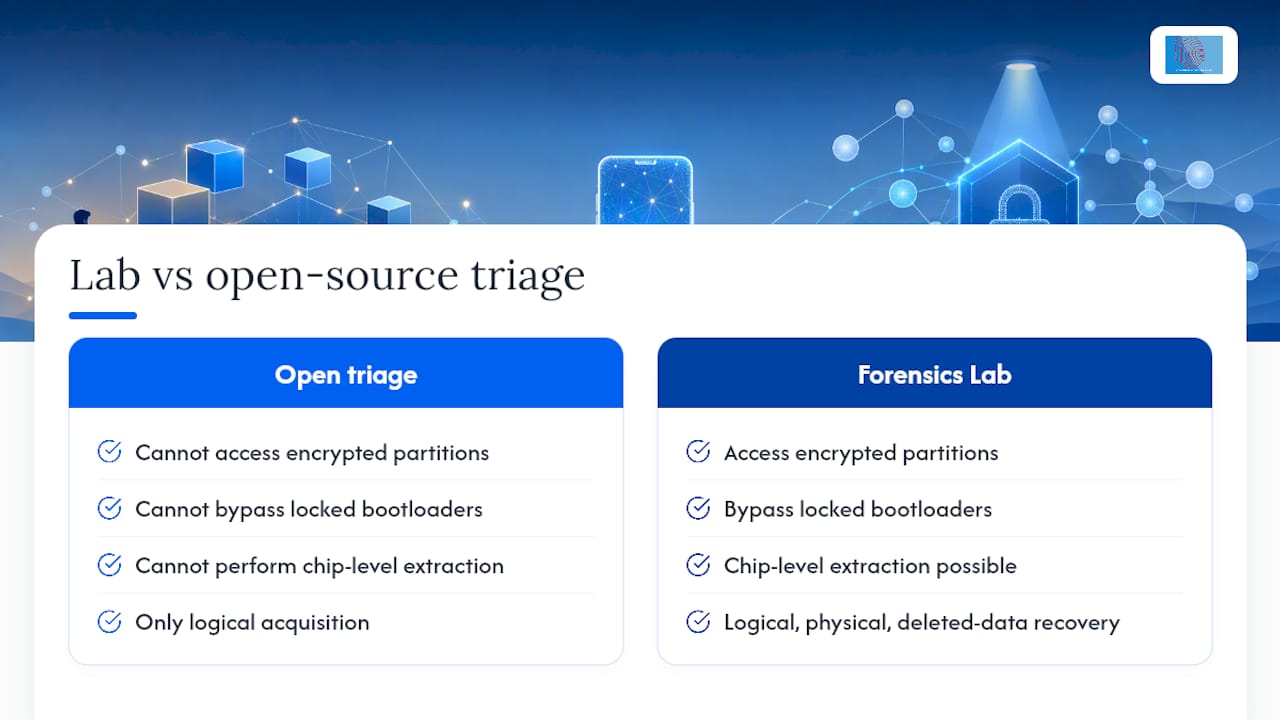
A solid pipeline assembles a case folder with a manifest, generates SHA256 checksums for every artefact, and produces a hashed report an examiner can hand to a lab without ambiguity. Open-source tooling covers triage well but rarely reaches encrypted partitions or chip-level extraction, which is where Android forensic methods used in a laboratory setting become the next step rather than an optional extra.
How should you handle evidence and prove chain of custody?
Photograph the device’s screen state, physical connections, and every identifier the moment you take possession, then repeat that discipline at every handover.
- Generate an acquisition hash immediately after extraction, then a secondary hash on the working copy to confirm nothing changed in transit.
- Store the original evidence in access-controlled, logged storage, and record every person who touches it, when, and why.
- Court-ready documentation lists exact tool versions, every command executed, and the operator’s name against each action.
NIST SP 800-101 revision 1 treats this documentation trail as inseparable from the technical acquisition itself. A perfect extraction with a broken audit trail is often worth less in court than an imperfect one with a clean one.
What limits android forensic examination, legally and technically?
Encryption and Before First Unlock states are the two obstacles that stop most examiners cold, and no amount of tooling substitutes for the right legal authority to bypass them.
- Full-disk encryption on a locked, powered-off device often makes file-system content unreadable without the passcode or a specialist unlock method.
- Remote wipe is a live threat the moment a device connects to a network, so RF shielding and rapid triage decisions matter more than perfect procedure.
- No tool acquires every device type; examiners must document each tool’s method and validate results before they reach a courtroom, a point Wikipedia’s overview of mobile device forensics makes plainly.
- Hardware-based methods (chip-off, JTAG, ISP) become an investigative necessity on locked or damaged devices, but they carry higher risk of data loss and stronger scrutiny under Daubert or Frye standards.
Industry analysis notes that encrypted, zero-trust Android builds now dominate new devices, which is steadily pushing more casework towards specialist extraction levels rather than field triage alone. Cold-boot and chipset-specific RAM capture can occasionally recover encryption keys on certain SoCs, but this remains a lab-only, device-specific technique rather than a routine option.
What Computer Forensics Lab sees in real android cases
Digital forensics providers regularly handle Android intake ranging from quick triage to full physical extraction and expert witness reporting. The most common misconception investigators bring is assuming deleted messages are always recoverable within days; recoverability depends entirely on flash wear and overwrite patterns, not elapsed time. Clear documentation from the outset speeds everything that follows.
Triage now or send it to the lab?
Speed wins leads, but depth wins cases. Favour immediate triage when you need investigative direction fast and the device is volatile; hand it to a lab when the case value justifies deeper acquisition or when encryption blocks field methods entirely. Document every trade-off you make between the two, because a reviewing court or defence expert will ask why.
— Computer
How Computer Forensics Lab supports android device investigations
Computerforensicslab gives instructing solicitors and investigators a route past the ceiling that open-source triage inevitably hits: encrypted partitions, locked bootloaders, and chip-level extraction that ADB scripts simply cannot reach. The Lab handles triage, full logical and physical acquisition, deleted-data recovery, and expert witness reporting with chain-of-custody management built into every stage, drawing on the mobile device forensics service the practice runs day to day.
Instructing the Lab starts with basic intake details: device model, current state (locked, BFU, damaged), the legal authority for examination, and the questions the case needs answered. Turnaround depends on extraction complexity, and cases requiring hardware-level work naturally take longer than a straightforward logical pull. For a full breakdown of what the Lab covers across digital investigations, visit the digital forensics services page or get in touch to discuss a specific case.

Standards and repositories worth keeping close
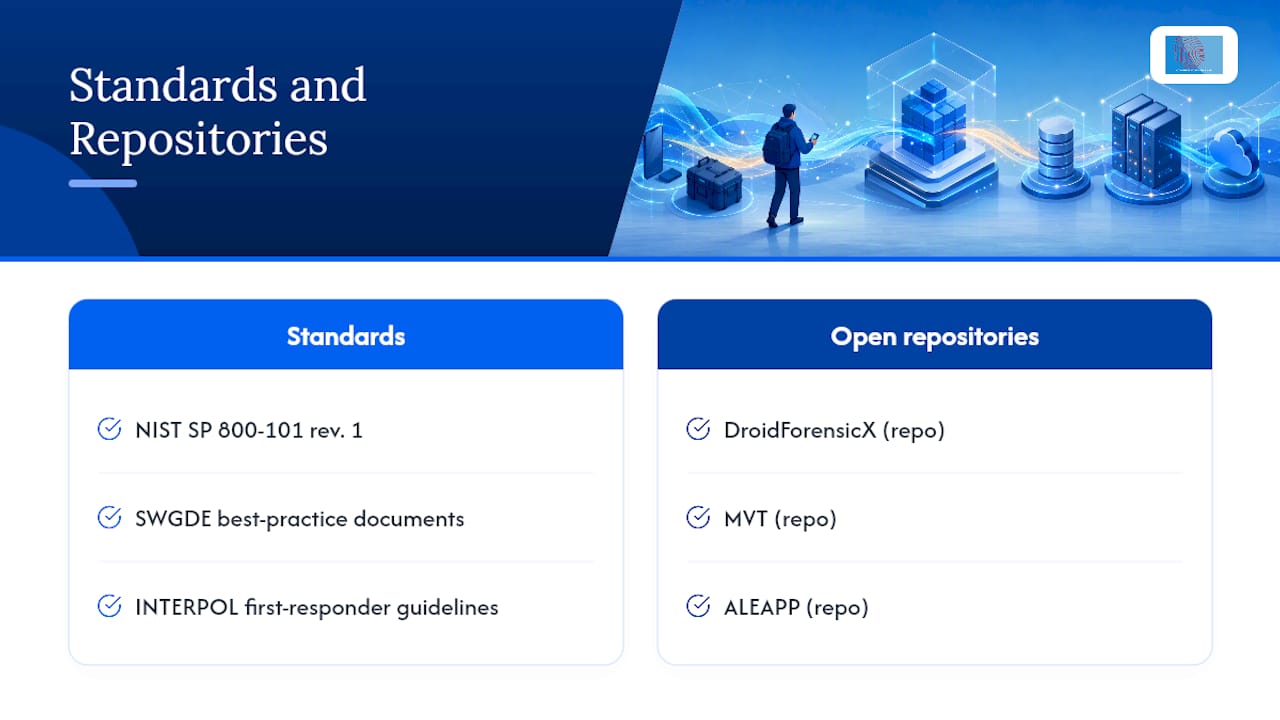
Every claim in this guide traces back to a small set of documents worth bookmarking: NIST SP 800-101 revision 1 for acquisition procedure, SWGDE’s best-practice documents for evidence handling, and INTERPOL’s first-responder guidelines for scene conduct. On the tooling side, DroidForensicX, MVT, and ALEAPP remain the most actively maintained open repositories for reproducible triage.
This article is general information, not a substitute for advice from a qualified lawyer. Consult a qualified legal professional about your own circumstances before acting on anything here.
Sources
- NIST SP 800-101 revision 1 — Guidelines on Mobile Device Forensics
- INTERPOL — Guidelines for Digital Forensics First Responders
- MSAB — Mobile forensics in 2026: comprehensive guide
FAQ
What is the best forensic software for Android devices?
There is no single best tool; examiners typically combine ADB-based triage frameworks like DroidForensicX with parsers such as ALEAPP, escalating to specialist lab hardware for encrypted or physically damaged devices.
Does autopsy work on Android?
Autopsy can analyse disk images and file systems extracted from an Android device, but it does not perform the acquisition itself, so it sits downstream of a logical, file-system, or physical extraction.
Where can I find mobile phone forensic services in the UK?
Digital forensics providers offer mobile device forensic acquisition, deleted-data recovery, and expert witness reporting for legal, corporate, and law enforcement instructions.
How much does a forensic phone analysis cost?
Cost depends on extraction complexity: a straightforward logical acquisition is less expensive than physical extraction requiring chip-off or JTAG work. Providers typically offer quotes once device state and case scope are known.