
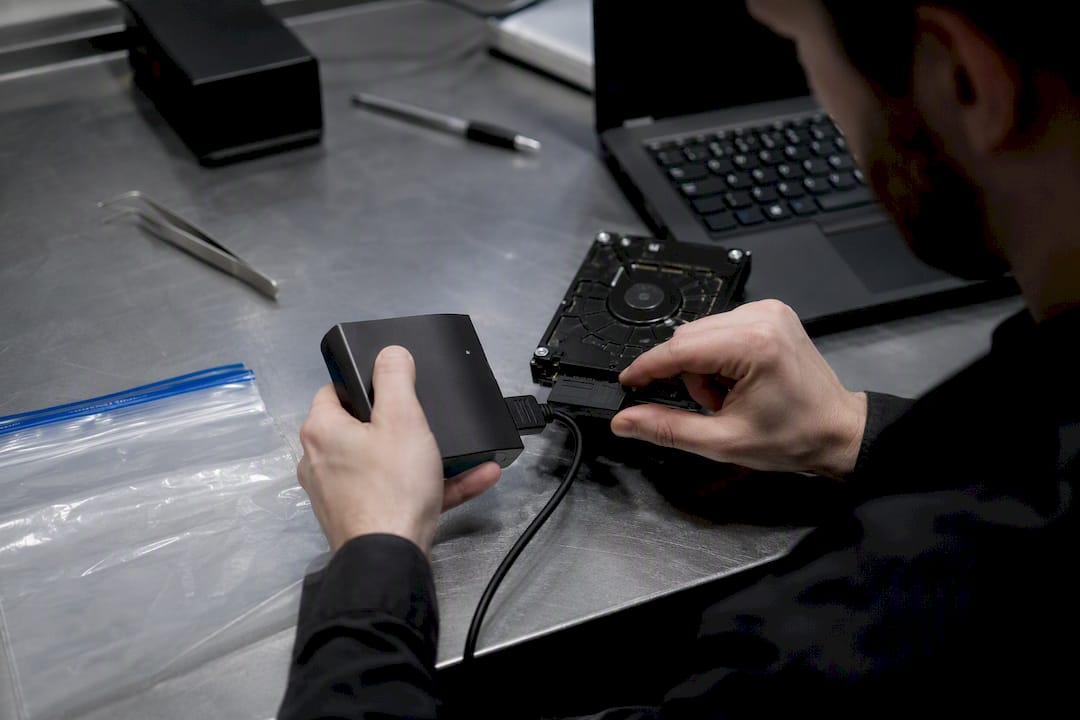
Computer forensics is the practice of identifying, preserving, analysing and reporting digital evidence in a manner that stands up to legal scrutiny. Every credible investigation follows a staged, evidence volatility led workflow: the most fragile data is captured first, every action is documented, and every finding must be repeatable by another qualified examiner. This guide to computer forensics covers the ground a student, legal professional or novice investigator actually needs:
- The stages of a forensic investigation, including order of volatility
- Evidence collection, imaging and chain of custody procedures
- The tools examiners rely on for memory, disk and network analysis
- How defensible reports and expert testimony are built
- A realistic path for learning the discipline from scratch
Key Takeaways
Defensible computer forensics depends on collecting volatile evidence first, documenting every action, and validating tools so findings remain repeatable under legal challenge.
| Point | Details |
|---|---|
| Follow order of volatility | Capture RAM and running processes before disk images and logs, per RFC 3227. |
| Image, never examine originals | Use FTK Imager or dd with a write-blocker, then analyse verified copies only. |
| Hash everything twice | Record a hash at acquisition and verify it again before analysis begins. |
| Document contemporaneously | Log live actions, transfers and custodians as they happen, not afterwards. |
| Match tools to the question | Use Volatility 3 for memory, Wireshark for network traffic, disk analysis for deleted files. |
Table of Contents
- What does computer forensics actually cover?
- Steps in computer forensics: the investigation workflow
- Evidence collection, imaging and chain of custody
- Analysis techniques and the tools examiners rely on
- Writing reports that survive cross-examination
- How to learn computer forensics from the ground up
- How Computer Forensics Lab applies these standards in practice
- What this guide gets right that most others miss
- Frequently asked questions
- Sources
What does computer forensics actually cover?
Computer forensics, sometimes called digital forensics, is the branch of forensic science dealing with the recovery, examination and interpretation of data held on computing devices, mobile phones, cloud accounts and social media platforms. It is not the same discipline as network forensics, which focuses specifically on traffic captured in transit across a network. It also differs from incident response, which is the operational effort to contain and remediate a live cyberattack, and from ordinary data recovery, which retrieves lost files without the evidential controls a court requires.
The scope in practice spans several categories of source material:
- Computers, laptops and external storage media
- Smartphones and tablets, including app data and deleted message recovery
- Cloud storage and software as a service accounts
- Social media activity and metadata
- Network devices and server logs
Solicitors commission this work for civil disclosure and family proceedings. Police forces rely on it for criminal prosecutions. Corporate legal teams use it to investigate data breaches, employee misconduct and intellectual property theft, often alongside a broader incident response effort when a security event triggered the enquiry.
Steps in computer forensics: the investigation workflow
A defensible investigation is never improvised. It follows a fixed sequence, because doing the stages out of order can destroy the very evidence you are trying to preserve.
- Identification. Establish which devices, accounts and data sources are relevant and within the scope of the instruction.
- Triage. Assess each source quickly to decide whether live capture is needed before the device is powered down.
- Live evidence capture. Where a system is still running, collect volatile data before anything else.
- Imaging. Create a verified, bit-for-bit copy of storage media.
- Examination. Extract files, artefacts and metadata from the image.
- Analysis. Interpret what was found in the context of the questions the instruction is asking.
- Reporting. Document methods, findings and limitations in a form a court can rely on.
- Archiving. Retain images, notes and hashes securely for future reference or challenge.
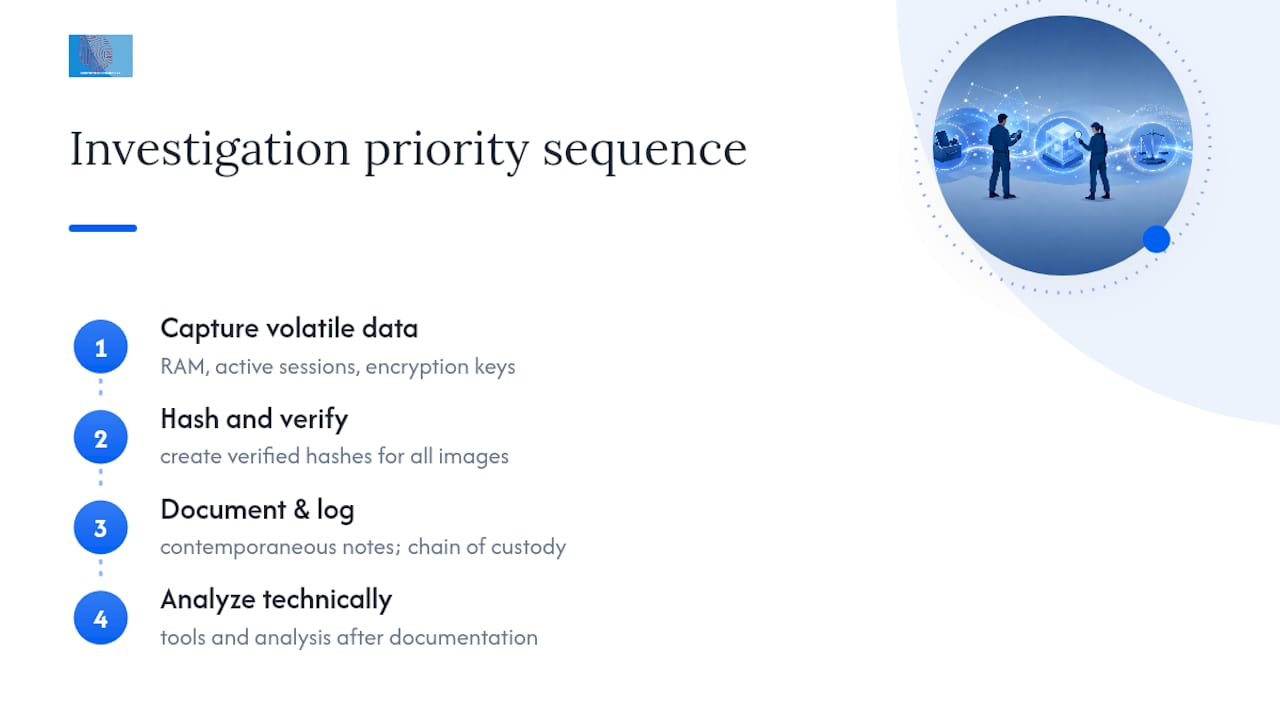
The order of volatility, first codified in RFC 3227’s guidelines for evidence collection, dictates that RAM and running processes are collected before disk contents, and disk before logs held elsewhere. RAM contents can vanish within seconds of a power change, along with encryption keys and active network connections that never touch the disk at all. Network state and running processes follow, then disk images, then remote logs and backups, which persist longest and carry the least urgency.
Live response is only justified when volatile data genuinely matters to the case, such as suspected malware still executing in memory or an active unauthorised session. Every live action, from the exact command typed to the timestamp it ran, needs to be logged as it happens, not reconstructed afterwards from memory.
Pro Tip: Keep a simple running log, even a notebook, open beside the workstation during live capture. A contemporaneous timestamp on each command is often the detail that convinces a sceptical cross-examiner that nothing was improvised.
Evidence collection, imaging and chain of custody
Acquisition is where most cases are won or lost before analysis even begins, because a flawed image or a broken chain of custody can undermine everything built on top of it. Failing to maintain a strict chain of custody can render otherwise solid evidence inadmissible regardless of how sound the technical analysis turns out to be.
Two tools dominate acquisition work. FTK Imager is a free, widely trusted utility that creates verified forensic images in formats such as E01, generates hash values automatically and offers a graphical interface suited to examiners who need speed and reliability on Windows systems. dd, the Unix and Linux command-line utility, gives finer control over block-level copying and is often preferred for Linux systems, unusual media, or where a scriptable, auditable process matters more than a graphical workflow. Neither tool is inherently superior; the choice depends on the operating system, the media, and what the instruction actually requires.
Best-practice guidance from SWGDE recommends analysing verified images rather than original media, with a hardware write-blocker fitted during acquisition so the source drive cannot be altered, even accidentally, by the acquisition machine.
Every image needs a hash calculated at acquisition and checked again before analysis. Record at minimum:
- The algorithm used (MD5 and SHA-256 are standard)
- The hash value itself, captured at acquisition
- A second verification hash, checked before analysis begins
- Item description, serial number and storage location
Chain of custody documentation should capture collection date and time, the collector’s identity, every transfer between custodians, and the storage conditions in between. On-site triage suits situations where a device cannot leave the premises or where volatile data must be captured immediately; full lab acquisition suits cases needing deeper imaging, controlled environmental conditions and access to specialist hardware. Our step-by-step digital evidence collection guide sets out the fuller checklist examiners work through in practice.
Analysis techniques and the tools examiners rely on
Once an image is verified, the real interpretive work begins, and it splits across several distinct technical disciplines that rarely overlap in a single tool.
Memory forensics has become indispensable because a growing share of malware never touches disk at all. Tools such as Volatility 3 parse a memory capture to recover running processes, injected code, network connections and credentials that exist only while the machine is powered on. Fileless malware and live session tokens are recoverable from RAM in ways that leave no trace on the disk image.
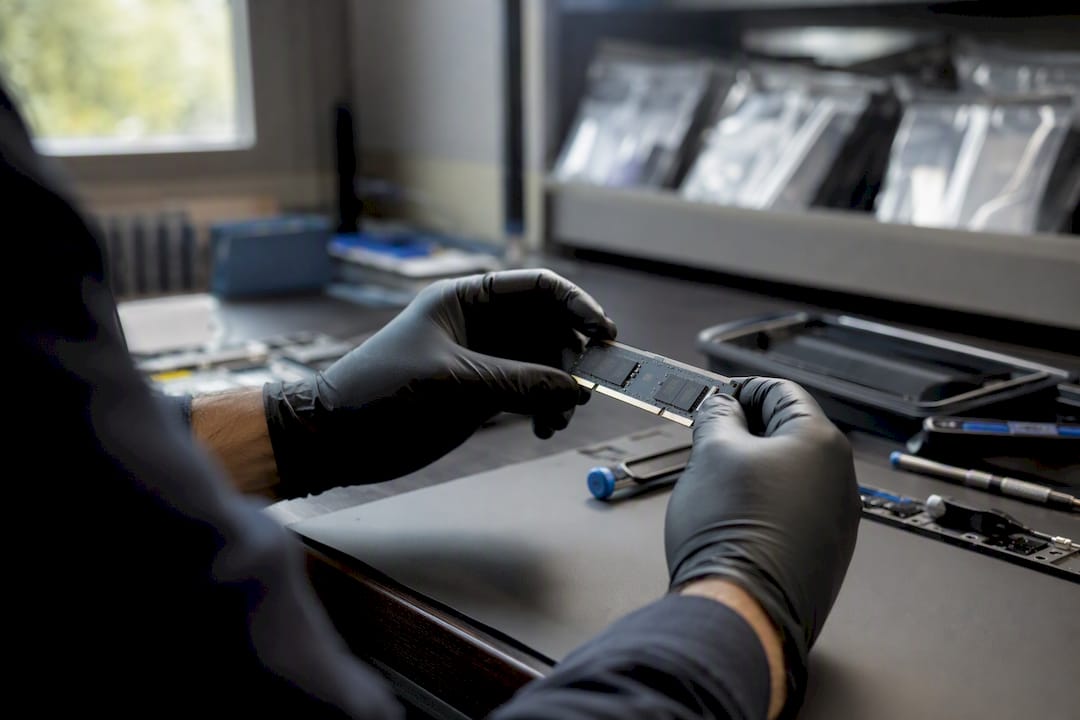
Disk and file-system analysis looks beyond the visible file listing into unallocated space and slack space, where deleted files and file remnants often survive long after a user thinks they are gone. A forensic image captures this hidden material; a simple file copy or backup does not.
Windows artefacts worth examining routinely include the registry (for installed software, USB history and user activity), event logs, and the USN journal, which records file-system changes even after the files themselves are deleted. macOS and Linux systems have their own equivalents in system logs and journal files.
Network forensics reconstructs what happened on the wire. Wireshark remains the standard free tool for packet capture analysis, letting an examiner rebuild command-and-control traffic, lateral movement and data exfiltration from a PCAP file, sometimes alongside NetworkMiner for automated artefact extraction.
Encryption and anti-forensic techniques, such as file wiping or timestamp manipulation, genuinely limit what is recoverable. A credible report states these limitations plainly rather than implying a complete picture where one does not exist.
Pro Tip: When a device shows signs of anti-forensic activity, such as a wiped free space pattern, document the finding itself. Absence of evidence, properly recorded, can be as significant to a case as the evidence you did recover.
Writing reports that survive cross-examination
A forensic report only has value if another qualified examiner, working from the same evidence, would reach the same conclusions. That principle of repeatability, central to NIST’s incident response guidance, shapes how a defensible report is structured.
A report that will withstand challenge typically includes:
- A clear statement of scope and the questions the instruction asked
- The methods and tools used, including versions
- Findings, presented separately from interpretation
- A full evidence list with acquisition and verification hash values
- Explicit limitations, including anything that could not be recovered
Tool validation, contemporaneous notes and internal quality assurance checks, all recommended by SWGDE’s best practice standards, are what allow a report to withstand a challenge from opposing counsel months or years after the work was done.
Expert testimony carries its own demands. A witness must explain technical findings in plain language, defend the methodology under cross-examination and distinguish clearly between fact and opinion. Our guide to the expert witness role in digital forensics covers courtroom expectations in more depth, and our piece on creating expert witness reports sets out report structure line by line. Instructing a specialist early, before evidence is disturbed, gives an examiner the best chance of a clean, defensible chain from acquisition through to testimony.
How to learn computer forensics from the ground up
Competence builds in a fairly predictable order, and skipping stages tends to show up later as gaps in understanding rather than saved time.
- Operating system internals first. Understand how Windows, macOS and Linux manage processes, memory and permissions before touching forensic tools.
- File systems next. Learn NTFS, APFS and ext4 structures, since this is where deleted-file recovery and slack space analysis live.
- Memory analysis. Move on to Volatility 3 once file systems feel familiar; memory forensics assumes that baseline.
- Network artefacts. Finish with PCAP analysis in Wireshark, tying network behaviour back to the host-based evidence already covered.
Hands-on practice matters more than any lecture. Downloadable disk images, capture the flag exercises and open-source toolchains let you build real muscle memory without touching a live case. Developing a working grasp of the fundamentals typically requires sustained practice over a period, with genuine casework fluency developing over extended experience. Recognised certifications from bodies such as SANS and (ISC)² give structure to that learning path and credentials legal employers recognise.
Legal professionals commissioning this work should look for examiners who can demonstrate tool validation, a clear chain of custody process and prior expert witness experience, rather than judging purely on price.
How Computer Forensics Lab applies these standards in practice
Computer Forensics Lab, based in London, applies exactly this staged, standards-led approach across its casework. Services include:
- Data recovery and forensic imaging across computers, mobile devices and cloud accounts
- Malware analysis and penetration testing
- Expert witness reports prepared to courtroom standard
- Chain of custody management from first contact through to final report
The team has contributed forensic expertise to Discovery+’s 999 Murder Calling, reflecting the kind of casework depth clients bring to complex investigations. A typical instruction begins with a scoping call to establish what evidence exists and what questions need answering, followed by acquisition, analysis and a written report. Anyone facing a data breach, suspected employee misconduct or a case requiring digital forensic investigation support can start with a conversation about what the evidence actually shows before committing to a full engagement, whether through our digital forensics services page or directly with the team.
What this guide gets right that most others miss
Most introductions to this field treat order of volatility as trivia rather than the discipline it actually is. The conventional advice, image the drive first, then worry about everything else, gets the sequence backwards for any case involving live malware, active sessions or encryption keys held only in memory. RAM disappears within seconds of a shutdown; a disk image taken an hour later cannot recover what was already lost.
The standards-driven side of this work is consistently underrated by newer investigators, who focus on tools and skip documentation. A perfect memory capture with no contemporaneous notes and no verified hash is a technical exercise, not evidence. Courts do not reward cleverness; they reward repeatability.
If you take one thing from this guide, prioritise the boring parts first: hashing, logging, chain of custody. Master those before chasing the more interesting technical skills. The technical analysis is learnable in months. The discipline to document everything, every time, without exception, is what actually separates a hobbyist from an examiner a court will trust.

Frequently asked questions
What is the difference between computer forensics and digital forensics?
The terms are largely interchangeable in practice. Digital forensics is sometimes used as the broader umbrella covering mobile devices, cloud data and network evidence, while computer forensics traditionally referred to standalone computers and storage media.
Why is order of volatility so important in an investigation?
Volatile data such as RAM contents, active network connections and running processes can vanish within seconds of a system losing power. RFC 3227’s guidance exists precisely because collecting this data after the fact is often impossible.
Can deleted files really be recovered during a forensic examination?
Often, yes, provided the underlying disk sectors have not been overwritten by new data. This is why forensic images must capture unallocated and slack space rather than relying on a standard file-level backup.
What qualifications should I look for in a computer forensics examiner?
Look for demonstrable tool validation, documented chain of custody procedures and prior expert witness experience, alongside recognised training from bodies such as SANS or (ISC)².
How long does a typical forensic investigation take?
It varies enormously depending on the volume of data, the number of devices and whether litigation timelines are involved, ranging from a few days for a single device triage to several weeks for a multi-device corporate investigation.
This article is general information, not a substitute for advice from a qualified lawyer. Consult a qualified legal professional about your own circumstances before acting on anything here.
Sources
For readers who want to go straight to the primary sources referenced throughout this guide:
- RFC 3227 — Guidelines for Evidence Collection and Archiving
- Best Practices for Computer Forensic Examinations – SWGDE