Computer forensics is the scientific process of preserving, collecting and analysing digital evidence so findings are reliable and legally defensible. This guide to computer forensics & investigations walks through the standard investigative workflow, from readiness to reporting, and shows how standards from bodies such as SWGDE and the NIJ keep evidence admissible. By the end, you should understand the core tools, techniques and legal constraints that shape every credible digital investigation.
TL;DR:
- Evidence collection must prioritize volatile memory and active network data to prevent loss or corruption before imaging static media.
- Maintaining a strict chain of custody and detailed documentation of handling procedures is essential to ensure evidence remains legally defensible.
- Proper lab environment control, including access restrictions and tool validation, is critical for reliability and court acceptance of forensic results.
- Hashing of original and copied media verifies data integrity, making it a cornerstone for admissible digital evidence in legal proceedings.
- When cases involve complex or high-stakes evidence, consulting a professional forensic lab provides validated analysis and testimony that self-led investigations cannot ensure.
Table of Contents
- What is computer forensics and who practises it?
- What are the core phases of a computer forensics investigation?
- What types of digital evidence do investigators encounter?
- How do you collect and preserve digital evidence properly?
- What analysis techniques apply across memory, disk, mobile and network evidence?
- What does a defensible forensic lab environment look like?
- What legal and ethical limits apply to digital evidence?
- How should investigators report findings and prepare for court?
- How should you start learning computer forensics practically?
- A practitioner’s view on the trade offs nobody puts in the textbook
- Why bring in a professional lab for the cases that matter
- Sources
- FAQ
What is computer forensics and who practises it?
Computer forensics sits inside the broader field of digital forensics and incident response, often shortened to DFIR. Where cybersecurity focuses on preventing and detecting intrusions, computer forensics answers a narrower question after the fact: what happened, when, and who is responsible, in a way that holds up under scrutiny. The distinction matters because a security analyst chasing a live threat and a forensic examiner preserving evidence for court operate under different pressures and different rules.
The discipline covers far more ground than the “hacker versus laptop” image suggests. A forensic examiner might spend a week reconstructing an employee’s file access before a wrongful dismissal tribunal, then spend the next supporting a corporate e-discovery request in a contract dispute. Both tasks demand the same discipline: verifiable acquisition, documented analysis, and a report a non-technical reader can follow.
Common use cases include:
- Incident response — determining how attackers gained access, what they took, and whether the intrusion is ongoing.
- Litigation support — recovering and authenticating documents, messages, or metadata relevant to a civil or criminal case.
- Employment investigations — examining company devices for misconduct, data theft, or policy breaches.
- Regulatory e-discovery — collecting and reviewing electronically stored information under disclosure obligations.
- Fraud and IP theft cases — tracing financial records, file transfers, or unauthorised copying of proprietary material.
Practitioners need a mix of skills that rarely sit in one job description. Technical grounding in file systems, memory structures and networking comes first, but it is not enough on its own. An examiner also needs enough legal literacy to understand evidence admissibility rules and enough communication skill to explain a registry artefact to a jury of twelve people who have never opened a terminal. Some labs split these roles between technical examiners and case managers; smaller teams expect one person to do both.
What are the core phases of a computer forensics investigation?
Every credible investigation follows a version of the same sequence, and textbook treatments of the field consistently describe it as five linked stages: readiness, identification, collection, analysis, and reporting, as set out in foundational works like Guide to Computer Forensics and Investigations. Skipping a stage, or doing it out of order, tends to be exactly where cases fall apart later.
- Readiness. Before any incident occurs, an organisation or lab needs written policies, validated tools, and a triage plan. This includes evidence-preservation checklists, staff training on what not to touch, and pre-agreed escalation paths for when an investigation needs external help.
- Identification and scoping. Once an incident or request lands, the first job is deciding what actually needs collecting. This means mapping potential evidence sources (which laptops, which cloud accounts, which mobile devices) and setting boundaries so the investigation does not balloon into a fishing expedition.
- Collection and acquisition. Evidence gets captured, either live from a running system or via imaging of powered-down media. This is the stage where the order of volatility decides sequence: memory and network state disappear the moment power is lost, so they come before a static disk image.
- Examination and analysis. Raw data becomes findings. Examiners build timelines, correlate artefacts across devices, and often revisit earlier assumptions as new evidence surfaces, which is why analysis plans in real cases are rarely linear.
- Reporting and case closure. Findings are validated, evidence is archived under proper retention rules, and, in many labs, a peer reviewer checks the work before it goes out the door.
Pro Tip: Write your scoping decisions down as you make them, not after. “We did not image the personal laptop because the instructing solicitor limited scope to company devices” is a sentence that protects you months later when someone asks why a device was left out.
The NIJ’s first responder guidance reinforces why the early phases matter so much in practice: recognising, securing and documenting evidence correctly on scene often determines whether anything collected later survives a legal challenge. A first responder who unplugs a router to “stop the attack” before capturing its state has just destroyed evidence that cannot be recreated.
What types of digital evidence do investigators encounter?
Different devices yield fundamentally different artefacts, and knowing where to look on each one is most of the job.
Computers. File systems hold more than the files a user can see. Deleted entries often persist until overwritten, slack space at the end of allocated clusters can hold fragments of older files, and Windows systems leave a trail across event logs, prefetch files, and the registry that reconstructs what ran, when, and by whom.
Memory (RAM). Volatile memory captures what disk analysis cannot: credentials in plaintext, running processes, open network connections, and evidence of malware that never touches the disk at all. Fileless attacks, which operate entirely in memory, are effectively invisible without a memory capture, which is why skipping this step on a live system is one of the costliest shortcuts in the field.
Mobile devices and apps. Most mobile applications store their data in SQLite databases, which examiners parse to recover messages, location history, and app-specific metadata. Where the device itself is locked or wiped, local backups and cloud syncs frequently hold a parallel copy of the same data. A closer look at mobile device evidence handling shows how much of a case can hinge on artefacts the user never realised were being retained.
Network evidence. Packet captures (PCAPs), NetFlow records, and firewall or proxy logs reconstruct how data moved, not just what existed on an endpoint. This evidence usually has to be captured in near real time from routers, switches, or monitoring appliances, since most network infrastructure does not retain full packet data for long.
Cloud and IoT. Provider-held logs, retention windows set by the platform rather than the investigator, and jurisdictional handovers make cloud evidence its own specialism. IoT devices add another layer: proprietary storage formats and limited on-device logging often mean the real evidence sits with the manufacturer’s servers, not the device in your hand.
How do you collect and preserve digital evidence properly?
Evidence integrity is decided in the first hour of collection, not in the lab weeks later. The choice between live collection and powered-down imaging depends on what would be lost by pulling the plug: if volatile memory or an active encrypted session holds evidence, live capture comes first; if the system is already off and volatility is not a concern, a straightforward forensic image is usually the safer, more defensible route.

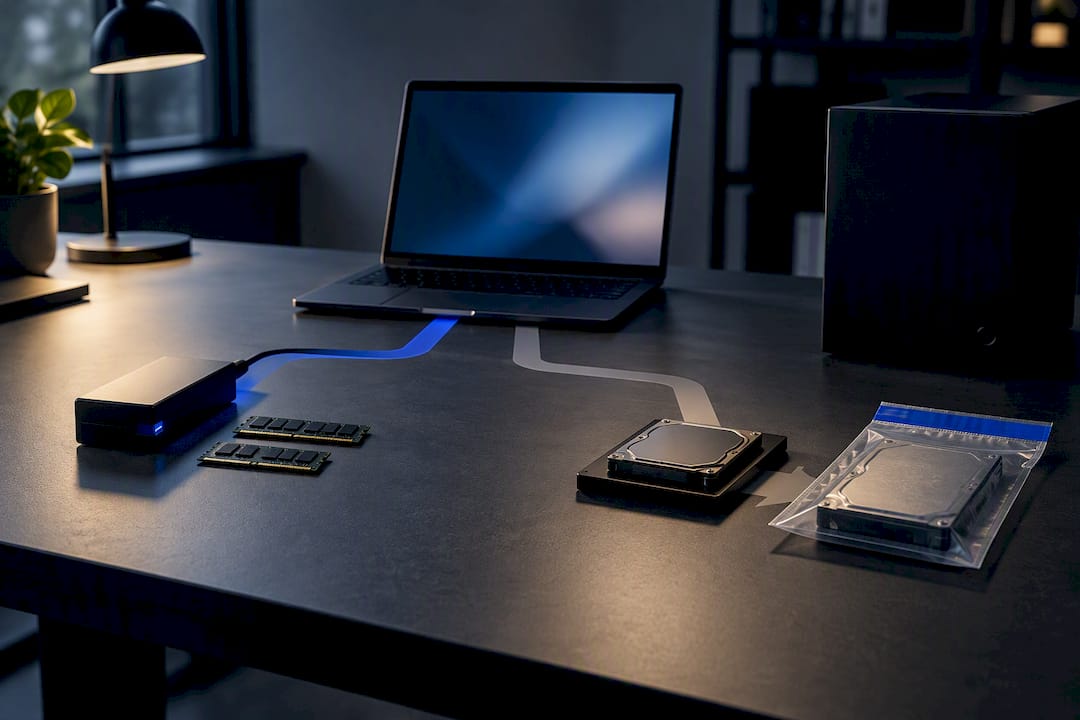
Write-blockers, hardware or software, exist for one reason: to guarantee that connecting a drive to an examination workstation cannot alter a single bit on the source media. Skipping this step, even briefly, can undermine an otherwise solid examination. Imaging tools then create a bit-for-bit copy of the source, and that copy, not the original, is what gets analysed from that point forward.
Hashing is what proves the copy matches the original. Standard practice, reflected in textbook methodology, is to generate an MD5 and at least one SHA-family hash (commonly SHA-1 or SHA-256) of the source media before imaging, then hash the resulting image and confirm the values match. Both hash values get recorded in the case file, not just calculated and discarded.
| Step | Purpose | What gets recorded |
|---|---|---|
| Pre-acquisition hash | Establish the source’s baseline fingerprint | MD5 and SHA value of original media, timestamp, examiner name |
| Imaging | Create a verified working copy | Tool and version used, image format, duration |
| Post-acquisition hash | Confirm image integrity matches source | MD5 and SHA value of image, comparison result |
| Packaging | Secure physical evidence for transport | Tamper-evident seal number, storage location, custodian |
| Chain of custody log | Record every handoff | Date, time, name, purpose of transfer, signature |
A complete chain of custody entry answers five questions every time evidence changes hands: who had it, when, why, what condition it was in, and where it went next. Gaps in that log, even innocent ones, give opposing counsel an opening to question everything downstream.
Best practice for physical handling includes:
- Sealing devices in tamper-evident bags before transport, with the seal number logged.
- Storing media in a controlled-access evidence locker, not a shared drawer or desk.
- Limiting who can access original evidence, and logging every access attempt, successful or not.
- Keeping working copies separate from the original at all times.
What analysis techniques apply across memory, disk, mobile and network evidence?
Each evidence type calls for its own toolkit, though the underlying discipline (document everything, verify everything) stays constant. Practical DFIR work leans heavily on established open-source and commercial toolchains: imaging tools like FTK Imager, triage platforms like Autopsy, and memory analysis frameworks like Volatility 3.
Memory forensics. Once RAM is captured, Volatility 3 and similar frameworks extract running processes, network connections, and injected code from the memory image. This is often the only place a fileless attack leaves any trace at all, which makes memory capture a priority rather than an optional extra on any live, potentially compromised system.
Disk analysis. File carving recovers deleted or fragmented files by pattern-matching file headers and footers rather than relying on file system metadata. Timeline construction, pulling timestamps from file systems, logs, and registry hives into a single chronological view, is usually what turns a pile of artefacts into a coherent narrative an investigator can act on.
Mobile app analysis. Static analysis examines an app’s code and stored data without running it; dynamic analysis runs the app in a controlled environment to observe its behaviour live. Both approaches typically converge on the same target: the SQLite databases where most mobile apps persist their working data.
Network forensics. Correlating PCAP captures with server and firewall logs is how investigators reconstruct data exfiltration: matching an unusual outbound transfer in the packet capture against a login event in the authentication log ties an action to an identity.
Cloud evidence. Provider APIs and formal data requests are often the only lawful route to cloud-held evidence, and turnaround times vary enormously by provider and jurisdiction. A request that would take a day for on-premises evidence can take weeks when a cloud provider’s legal team is involved.
Pro Tip: Automated tool output is a starting point, not a conclusion. A carving tool that recovers a “deleted” file does not tell you whether the file was deleted by the suspect, by a scheduled cleanup task, or by the operating system itself. Manual review closes that gap.
What does a defensible forensic lab environment look like?
The environment an examination happens in matters almost as much as the technique used. SWGDE’s best practice guidance sets expectations for physical and procedural controls that keep results reproducible and defensible under challenge.
A working lab typically needs:
- Stable power and cooling, since an imaging job interrupted mid-write can corrupt both the copy and, in rare cases, the original.
- Access controls, restricting who can enter the examination area and who can touch evidence once it is logged in.
- Version-controlled tools, with every forensic application’s version and configuration logged against each case, so results can be reproduced years later if challenged.
- Sandboxed analysis environments for anything involving live malware, isolated from both the internet and the lab’s production network.
- Documented sanitisation procedures between cases, wiping workstations and storage to prevent one client’s data commingling with another’s.
Standards bodies deliberately avoid mandating one specific tool for every task. The point of frameworks from SWGDE and NIST is documented validation, proof that a given tool version produces consistent, testable results, rather than a fixed shopping list. Peer review sits on top of all of this: a second examiner checking the work before it leaves the lab catches errors that the original analyst, deep in the case, is prone to miss.
What legal and ethical limits apply to digital evidence?
Legal authority has to exist before evidence gets touched, and the type of authority shapes what you are allowed to do. A warrant, a preservation notice, or documented consent from the device owner are the usual routes, and NIJ guidance is explicit that acting without clear authority, or beyond its scope, risks violating statutes such as the Electronic Communications Privacy Act in relevant jurisdictions. Recording exactly what authority you are operating under, and its limits, belongs in the case file from day one.
Where authority is limited, minimisation matters. If a warrant covers financial records only, pulling personal photos “while you’re in there” is not a shortcut, it is a scope violation that can taint the entire examination.
Cross-border cases add another layer entirely. Cloud data held by a provider incorporated in one country, accessed from a second, concerning a suspect in a third, routinely triggers conflicting legal frameworks, and there is rarely a single clean answer to which jurisdiction’s rules govern. Practitioners should:
- Confirm and document the legal basis for every collection action before it happens.
- Restrict collection strictly to what the authority permits.
- Identify early which jurisdiction’s law governs cloud or provider-held data.
- Consult qualified local counsel whenever cross-border or ambiguous authority questions arise, rather than guessing.
Ethically, the line is simple to state and easy to cross under pressure: never access data beyond what you are authorised to examine, even when curiosity or a hunch suggests something relevant sits just outside scope.
How should investigators report findings and prepare for court?
A forensic report earns credibility through structure, not just conclusions. A defensible report typically covers scope (what was examined and what was excluded), methods (tools, versions, and procedures used), findings (what the evidence shows), limitations (what could not be determined and why), and appendices carrying the technical detail.
Appendices are where the proof lives: hash lists confirming image integrity, copies of the forensic images or references to their secure storage, and timelines built from the underlying artefacts. A well-built expert witness report lets a technically literate reviewer trace every conclusion back to a specific, verifiable artefact.
Preparing for testimony means more than knowing the technical detail cold. Cross-examination tests whether an examiner can defend their methodology under pressure without overstating certainty, and maintaining professional independence, refusing to shade a conclusion toward whichever side is paying, is what keeps expert testimony credible across repeated appearances. Digital evidence in legal disputes frequently turns on this exact point: a report that survives scrutiny because the examiner never overreached beyond what the evidence actually supports.
Presenting to a non-technical judge or jury demands a different register entirely. Complex timelines become simple visual sequences; registry paths become “the record showing this file was accessed at 3:47pm”; technical certainty gets stated honestly, including where it runs out.
How should you start learning computer forensics practically?
The most effective learning sequence mirrors the investigation workflow itself: fundamentals first, then disk and file system artefacts, then memory, then mobile, then network, then cloud. Jumping straight to memory forensics without understanding file systems tends to produce examiners who can run a tool but cannot explain what it found.
Hands-on practice beats theory alone every time. Building a home lab with a few old drives, running Autopsy against a test image, capturing memory with Volatility 3, and analysing sample traffic in Wireshark will teach more in a weekend than a month of reading slides.
A practical study path looks roughly like this:
- Learn file systems and basic disk imaging before touching memory analysis.
- Practise with Autopsy on publicly available sample disk images before working live cases.
- Move to Volatility 3 once disk fundamentals are solid, using known-malware memory samples.
- Add Wireshark and PCAP analysis once you are comfortable correlating timestamps across sources.
- Seek out CTF-style digital forensics challenges and public datasets for repeatable, gradeable practice.
Certifications built around practical exams, rather than multiple-choice theory alone, tend to translate better into real casework. A step-by-step walkthrough of digital forensics procedures is a useful companion once the basics click.
A practitioner’s view on the trade offs nobody puts in the textbook
Standard operating procedures exist for good reason, but real scenes rarely match the tidy sequence in a manual. Deviating from SOP is sometimes the right call, capturing memory before photographing a scene when a wipe command is visibly running, for instance, but it is only defensible when you document the deviation immediately: what you did, why, and what you accepted as the trade-off.
At a live scene, safety and volatile data capture compete for the same first sixty seconds, and there is no formula that resolves that tension for you every time. Cross-border evidence adds a further constraint most training glosses over: legal authority in one jurisdiction does not travel with the data into another, and that mismatch shapes what you can lawfully do long before technical skill becomes relevant.
— Computer
Why bring in a professional lab for the cases that matter
Self-study builds real skill, but it cannot replicate what a properly resourced lab provides on a case that will end up in court: a chain of custody maintained end to end, independent reporting free of any stake in the outcome, and an expert witness willing to stand behind their findings under cross-examination. Computerforensicslab exists for exactly the point where a home-lab skill set meets a real legal or corporate deadline.
The lab’s specialist forensic services span mobile phone extraction, advanced and emergency data recovery from damaged devices, electronic discovery for litigation, and expert witness provision and presentation for court proceedings. Whether the need is recovering data a self-taught approach could not reach, or a report that has to survive scrutiny in a tribunal, the difference between a hobbyist toolchain and a properly documented, peer-reviewed examination shows up exactly when the stakes are highest.
If a case, an internal investigation, or a data recovery problem needs more than a home lab can deliver, get in touch with Computerforensicslab to discuss what evidence exists, what can lawfully be recovered, and what a properly documented examination would involve.
Sources
- Best Practices for Computer Forensic Examinations (SWGDE)
- Electronic Crime Scene Investigation: A Guide for First Responders (NIJ/DOJ)
- Guide to Computer Forensics and Investigations, 6th Edition (Cengage)
- Guide to Computer Forensics and Investigations (Pearson excerpt)
FAQ
What Is the Difference Between Computer Forensics and Cybersecurity?
Cybersecurity focuses on preventing and detecting attacks, while computer forensics reconstructs what happened after an incident using preserved, verifiable evidence. The two disciplines often overlap in incident response, where forensic findings feed directly into security remediation.
What Order Should Evidence Be Collected In?
Investigators generally follow the order of volatility: RAM and network state first, since they disappear when a system loses power, followed by running processes, then disk images and logs. This sequence protects the evidence most likely to be lost if collection is delayed.
Why Are MD5 and SHA Hashes Used in Forensic Imaging?
Hashing generates a unique digital fingerprint of the original media before and after imaging, and matching values prove the copy is identical to the source. This verification step, standard in textbook forensic methodology, underpins evidence integrity claims made in court.
Do I Need a Warrant to Examine a Seized Device?
In most cases, yes, or another form of documented legal authority such as consent or a preservation notice. NIJ guidance warns that examining a device without proper authority can violate relevant privacy statutes, so investigators should confirm and record their legal basis before touching any evidence.
How Much Does a Professional Forensic Investigation Cost?
Pricing depends on the scope, device count, and complexity of the case, so Computerforensicslab does not publish a fixed rate. Current pricing and service details are available directly through the lab’s website.
Can Deleted Files Really Be Recovered?
Often yes, since deleted files frequently remain in unallocated disk space until overwritten by new data, which is what carving tools exploit. Recovery is not guaranteed, though, and depends heavily on how much the device has been used since deletion, making professional data recovery more reliable for damaged or heavily used media.