A forensic PC investigation is a formal, court-oriented examination of a computer or device carried out to recover, preserve, and analyse digital evidence for litigation, criminal proceedings, or regulatory enquiries. It matters in disputes over deleted files, employee data theft, contested authenticity, or fraud. The immediate action, before anything else, is to preserve the device untouched and instruct a qualified examiner.
TL;DR:
- Forensic acquisition methods, including physical, logical, and live capture, must use write-blockers and cryptographic verification to prevent evidence alteration.
- Early instruction from a qualified examiner avoids chain-of-custody gaps and preserves volatile data that disappears quickly once a device is powered down.
- A defensible forensic report includes detailed acquisition logs, hash values, findings, and explicit limitations, supported by proper documentation of handling and validation.
- Clear, targeted instructions specifying the disputed artifacts and timeframes help control costs and improve the relevance of the investigation.
- Choosing an experienced, impartial forensic provider who adheres to recognized standards ensures the evidence is reliable and admissible in court.
Table of Contents
- What does a forensic PC investigation actually cover?
- When should you instruct a forensic examiner?
- Acquisition, verification and chain of custody: the non-negotiables
- What does a defensible forensic report actually include?
- How do you instruct and scope a cost-controlled engagement?
- How do you choose the right forensic provider?
- A note on neutrality and timing
- How to instruct Computer Forensics Lab for a forensic PC case
- Sources
- FAQ
What does a forensic PC investigation actually cover?
A forensic PC investigation examines whichever devices and platforms hold data relevant to the dispute, not just the machine on someone’s desk. That distinction matters because most cases now involve a mix of local storage and remote services, and each requires a different acquisition approach.
Typical scope includes:
- Desktops, laptops, and removable media such as USB drives or external hard disks
- Mobile phones and tablets, often examined alongside the primary PC evidence
- Cloud storage accounts, email servers, and instant messaging platforms
- Social media accounts where content or metadata is disputed
The analytical aims vary by case. Some instructions focus on recovering deleted files after a suspected wipe. Others need a timeline reconstruction showing exactly when a document was created, edited, or copied. Attribution work, tying an action to a specific user account or device, comes up often in employment disputes and intellectual property theft claims. Malware and intrusion analysis features in data breach investigations, while document and photo verification supports cases where authenticity itself is contested.
This is where forensic work diverges sharply from routine IT support. A helpdesk data recovery job restores files; it does not preserve evidential integrity, log every action taken, or produce a report that survives cross-examination. Digital forensics investigators identify, acquire, analyse, and report on electronic data specifically for use in criminal, civil, or administrative proceedings, which is a materially different standard from general technical troubleshooting.
When should you instruct a forensic examiner?
Several situations point clearly towards formal instruction rather than internal IT review. Contested authenticity of a document or communication is one. Suspected deletion or tampering, evidence of data theft ahead of an employee’s departure, and any hint of regulatory or criminal exposure are others.
Timing changes the outcome more than most instructing solicitors expect:
- Volatile data such as RAM contents or active network connections disappears within hours of a device being powered down or left running unmanaged
- Costs rise sharply once an examiner must reconstruct authenticity after the fact, rather than capturing it live
- Evidential gaps open when a device has already been examined by untrained staff, creating a chain-of-custody problem before the formal instruction even begins
Early referral helps determine the suitable expert. A party-appointed expert works for one side with a duty to the court, while a court-appointed or single joint expert serves as a neutral party for the tribunal, usually in lower-value civil matters where both parties agree to share one neutral report. The American Bar Association’s guidance for attorneys on working with forensic analysts is consistent on this point: engaging an expert early and giving precise, method-based instructions improves defensibility and avoids unnecessary cost.
Acquisition, verification and chain of custody: the non-negotiables

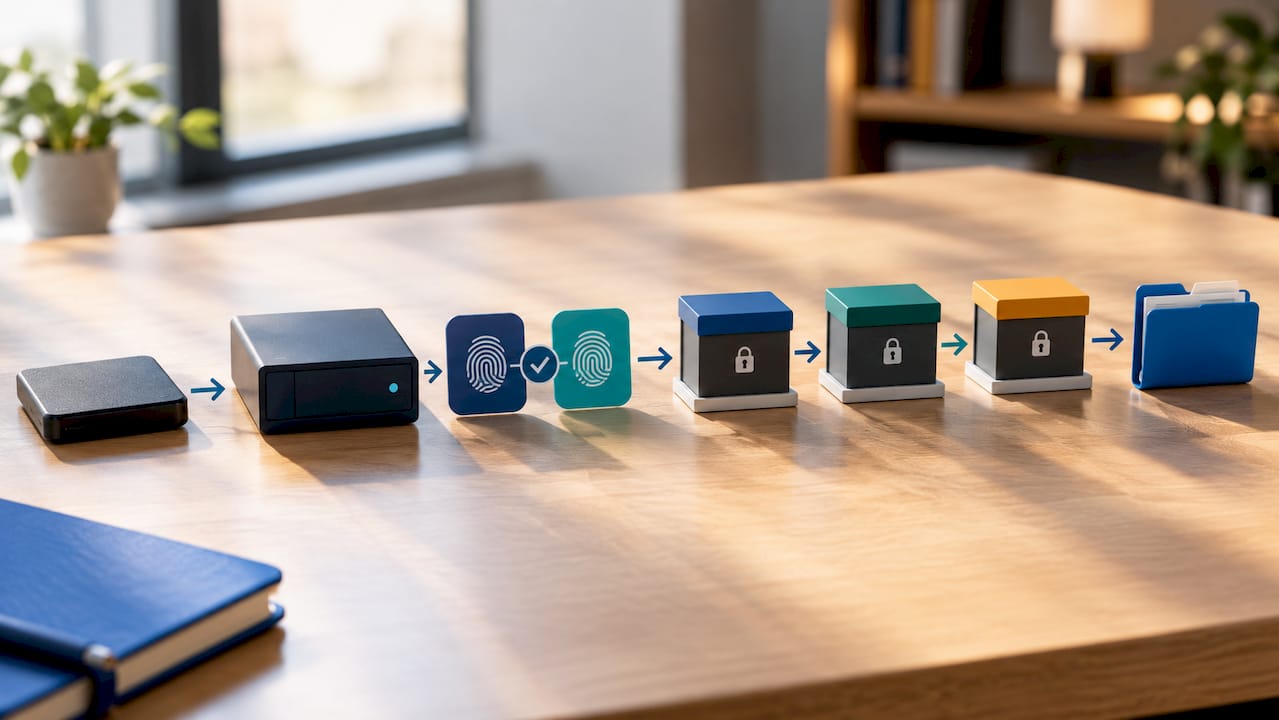
Everything that follows in a forensic PC case depends on how the data was first captured. Improper acquisition can compromise the evidence regardless of later analysis.
Examiners choose an acquisition method based on the device and the question being asked:
- Physical acquisition captures every bit on a storage device, including deleted and unallocated space, and is the most complete option for a full forensic imaging exercise.
- Logical acquisition copies only the active file system, which suits cases where the dispute concerns specific files rather than deleted material.
- Live acquisition captures volatile data, RAM, running processes, network state, from a system that cannot be powered down without losing evidence.
- Forensic boot media allows an examiner to access a device without booting its native operating system, avoiding changes to file timestamps or system logs.
Whichever method applies, the technical controls stay constant: write-blockers prevent any alteration to the source device during copying, and cryptographic hash verification confirms the forensic image matches the original bit for bit. Tool and version logging matters too; courts increasingly ask examiners to demonstrate that another qualified person could repeat the process and reach the same result.
Chain of custody documentation records every transfer and handler of the evidence from seizure through lab receipt, analysis, disclosure copies, and secure storage. Gaps in that record are one of the most common reasons evidence gets excluded or given reduced weight in court.
Damaged sectors or protected areas may prevent full verification. A properly conducted examination will note these limitations explicitly rather than glossing over them, because an unexplained gap invites exactly the kind of cross-examination that undermines otherwise sound findings. Our guide on preserving chain of custody for digital evidence sets out the field-to-lab handling steps in more detail.
What does a defensible forensic report actually include?
The report is the product counsel will actually use, and its structure follows a predictable pattern regardless of case type: scope of instruction, methods applied, acquisition logs, hash values for every image taken, findings, and an explicit statement of limitations. That last element is not an afterthought. Courts weigh whether an examiner disclosed uncertainty as much as whether the headline findings support a case.
Supporting exhibits typically include:
- Acquisition reports showing exactly how and when each device was imaged
- Tool validation records demonstrating the software used has been tested for reliability
- Chain-of-custody forms covering every handover
- Contemporaneous case notes made during the examination itself
Pro Tip: Ask your examiner for a draft statement of limitations before the final report is filed. Reviewing it early lets counsel adjust case strategy rather than discovering a caveat for the first time under cross-examination.
Expert witness support extends beyond the written report. A qualified examiner assists with witness statements, preparation for cross-examination, and explaining findings clearly to the court. Our page on computer forensics in legal disputes covers how findings typically get used once litigation is underway.
How do you instruct and scope a cost-controlled engagement?
Vague instructions produce vague, expensive results. Instructions like “check the computer for anything suspicious” lead to open-ended work and higher costs. A properly scoped instruction does the opposite.
- Identify the specific artefact in dispute, such as a particular file or event, rather than the entire device.
- State the disputed fact plainly: was this document created on 14 March or backdated afterwards?
- Specify the relevant time window to limit the examination scope.
- Specify the method where it matters, for instance requesting ISO/IEC 27037-compliant acquisition followed by hash verification.
Scope directly affects cost; targeted artefact examination is generally cheaper than full-disk imaging of multiple devices. Before instructing, ask for an acquisition log template, confirmation of tool and version validation, the chain-of-custody procedure, and an estimated timeline with the main cost drivers named upfront, usually device count and the amount of authenticity reconstruction required.
How do you choose the right forensic provider?
Not every IT contractor who can recover a deleted file is qualified to produce evidence that survives a contested hearing. Digital forensics has grown as a distinct discipline precisely because proficiency requires forensic method and repeatability, not just technical competence.
Before instructing, verify:
- Relevant case experience and a track record of giving testimony under scrutiny
- Demonstrated impartiality and adherence to recognised professional conduct standards
- Chain-of-custody handling, secure evidence storage, and tool validation aligned with ISO/IEC 27037, SWGDE, or NIST guidance
- Willingness to share sanitised sample report excerpts, references, and confirmation of professional indemnity cover
Pro Tip: Ask a prospective examiner how they would explain a hash mismatch to a jury. Their answer reveals more about courtroom readiness than any list of certifications.
A note on neutrality and timing
Computer Forensics Lab sees the same pattern recur: cases referred late, where devices were already handled by well-meaning but untrained staff before any formal instruction. Undocumented copies made “just to be safe” routinely create the exact custody gaps that later undermine otherwise sound evidence. Early collaboration with counsel, before evidence is touched, consistently produces stronger outcomes.
— Computer
How to instruct Computer Forensics Lab for a forensic PC case
Computer Forensics Lab provides court-ready Digital Forensics Investigations, covering computer and mobile device examination, cloud and social media forensics, malware analysis, and expert witness reporting, built around the chain-of-custody and tool-validation standards this guide has set out. This service is structured from the outset for evidential admissibility: hashed acquisitions, documented handovers, and reports designed to withstand cross-examination.
Provide clear details on disputed facts, specific devices or accounts, and relevant timeframes when instructing the examiner. The specialist computer forensics services page sets out the full range of offerings, including electronic disclosure, expert witness provision, and cybercrime attribution work. For a scoped conversation about your case, get in touch through the main site and describe the artefact in dispute, that single step lets the team quote accurately and start preservation before evidence risks being lost.
This article is general information, not a substitute for advice from a qualified lawyer. Consult a qualified legal professional about your own circumstances before acting on anything here.
Sources
- SWGDE — Best practices for computer forensic acquisitions (2025)
- NIJ — Chain of custody (Law 101 legal guide for forensic expert)
- INTERPOL — Digital forensics
- American Bar Association — Best practices for attorneys working with forensic analysts (2025)
FAQ
What is a forensic PC investigation used for?
It’s a formal digital forensic examination of a computer, used to recover, preserve, and analyse evidence for litigation, criminal cases, or regulatory enquiries. Common uses include contested authenticity, data theft, and fraud investigations.
How long does a forensic computer examination take?
Timelines depend on device count and how much authenticity reconstruction is needed, since late referrals often require rebuilding a timeline that live capture would have preserved directly. Ask your provider for a case-specific estimate once the scope is defined.
What is chain of custody and why does it matter?
Chain of custody is the documented record of every person who handled a piece of evidence and every transfer it went through. Gaps in that record can lead courts to exclude the evidence or give it reduced weight.
Should I use a party-appointed or court-appointed expert?
A party-appointed expert works for one side of a case, while a court-appointed or single joint expert serves the tribunal directly and is common in lower-value civil disputes. The choice usually depends on the case value, jurisdiction rules, and whether both parties can agree to share one neutral examiner.
What does Computer Forensics Lab include in a forensic report?
Reports typically cover scope of instruction, acquisition methods, hash verification logs, findings, and a statement of limitations. Computer Forensics Lab also provides expert witness statement drafting and testimony preparation as part of its specialist computer forensics services.