File carving in digital forensics is the process of reconstructing files directly from raw storage bytes using signatures and structural rules, bypassing filesystem metadata entirely. Practitioners turn to it when the file table is gone: deleted and reformatted volumes, damaged partitions, or memory and network captures where no directory structure ever existed. It works, but carved output carries no provenance of its own and every recovered file demands independent validation before it earns a place in a report.
TL;DR:
- Carving success is heavily influenced by whether data has been overwritten, fragmented, or erased by SSD TRIM commands, which can make recovery impossible.
- Selecting appropriate carving methods depends on file types and evidence conditions, with header/footer carving suitable for simple cases and structure-based or reassembly techniques for complex fragmentation.
- Validating carved files requires internal format checks, hash verification, and corroboration with other artifacts to ensure reliability for courtroom use.
- Carving entire disk images is necessary when the partition table is damaged or evidence is hidden within allocated space, but SSD TRIM may eliminate recoverable data before analysis.
- Forensic workflows emphasize acquisition, documentation, scope planning, and thorough validation to produce legally defensible evidence suitable for expert reports.
Table of Contents
- What is file carving and how does it differ from file recovery?
- Storage and file system factors that affect carving success
- Carving methods: header/footer, structure-based, content-based, and hash approaches
- Handling fragmentation and other hard cases
- Practical workflow and tooling for a forensic carve
- Validation and documentation for defensible carved evidence
- Practitioner tips and lab perspective from Computer Forensics Lab
- What the research actually supports about file carving
- How Computer Forensics Lab handles carving when it matters
- Sources
What is file carving and how does it differ from file recovery?
File carving scans a raw byte stream for recognisable structures rather than asking a filesystem where a file lives. Most implementations start with “magic numbers”: the fixed byte sequences that open a file format, such as FFD8FF for JPEG or %PDF for a PDF document. A carver walks the disk image looking for these headers, then either follows a matching footer, reads internal length fields, or estimates a reasonable file size before cutting the block out as a candidate file. The Forensics Wiki’s definition is precise on this point: carving works from byte signatures and format structures, not filesystem records.
That distinction separates carving from conventional file recovery. Recovery tools that read the Master File Table on NTFS or the File Allocation Table on FAT still have metadata to work with: file names, timestamps, and cluster chains that point to exactly where the content sits. Carving has none of that. It treats the entire unallocated region, or even a full disk image, as an undifferentiated pool of bytes and infers file boundaries purely from content.
Several everyday scenarios push an examiner towards carving:
- A suspect has emptied the recycle bin and overwritten the directory entries, leaving no metadata trail.
- A partition table or boot sector is corrupted, so the operating system cannot mount the volume at all.
- The evidence is a memory dump or a network capture, where files were never written to a filesystem in the first place.
- A quick-format has wiped the file table but left the underlying data largely intact.
In each case, filesystem-aware recovery has nothing to read, and the examiner has to fall back on pattern matching against the raw bytes themselves.
Storage and file system factors that affect carving success
Carving success depends heavily on what happened to the data before you ever touched the drive. Three storage concepts matter most: unallocated space (clusters the filesystem has marked as free but not necessarily cleared), slack space (the unused tail end of a cluster once a file’s actual content ends), and the partition table or boot sector that tells the operating system where a volume begins. Damage to any of these can force a full carving pass rather than a targeted one.
Filesystem behaviour on deletion varies more than most students expect. FAT typically only marks the first character of a filename and frees the cluster chain, often leaving content intact for a long time. NTFS updates the Master File Table and marks clusters free, but content frequently survives until overwritten. ext filesystems on Linux tend to clear inode pointers more aggressively, which can make metadata-based recovery harder even when the raw data itself is untouched. APFS on Apple devices adds copy-on-write and snapshot behaviour that sometimes preserves older file versions in ways FAT and NTFS never would.
Solid-state drives complicate all of this. TRIM and UNMAP commands tell the drive’s controller that a block is no longer needed, and many SSDs proactively erase that block in the background rather than waiting for it to be reused. That means a deleted file on a TRIM-enabled SSD can vanish at the physical level within minutes, long before an examiner ever connects the drive.
Deciding whether to carve an entire disk image or restrict the pass to unallocated space is a practical trade-off:
- Carve unallocated space only when the filesystem is intact and you want speed plus fewer duplicate hits on live files.
- Carve the whole image when the partition table is damaged, the filesystem type is unclear, or you suspect files were deliberately hidden inside allocated regions.
- On SSDs with TRIM confirmed active, temper expectations before committing significant case time to a full carve.
Carving methods: header/footer, structure-based, content-based, and hash approaches
Choosing the right carving method is less about picking a “best” tool and more about matching technique to file type and evidence condition. Each approach makes different assumptions about how much internal structure a file format offers.
-
Header/footer signature carving is the oldest and simplest method. The carver looks for a known starting signature (JPEG’s
FFD8, PNG’s89504E47, PDF’s%PDF) and either a matching end marker (JPEG’sFFD9) or a fixed maximum size if no footer exists. It is fast and format-agnostic, but prone to false positives when a header appears inside unrelated data, and it struggles badly with fragmented files because it has no way to skip a gap and resume on the other side. -
Structure-based carving reads a format’s internal metadata to confirm validity rather than trusting header and footer alone. A well-formed PNG has a defined chunk structure with length fields for each segment; a valid PDF has a cross-reference table describing object offsets. Structure-based carvers parse these internal fields to calculate exact file length and reject candidates that fail validation, which cuts down on the false positives that plague pure signature matching.
-
Content-based carving applies statistical measures such as entropy and chi-squared analysis, sometimes paired with machine-learning classifiers, to identify file types that lack a reliable header, such as plain text fragments or certain proprietary formats. This is slower and more resource-intensive, and it tends to appear in specialist toolsets rather than general-purpose carvers.
-
Hash-based matching compares carved blocks or whole candidate files against known hash sets, useful for confirming an exact match against contraband material or known malware samples rather than for general reconstruction.
-
Advanced reassembly covers Bifragment Gap Carving and SmartCarving, which handle files split into two or more non-contiguous fragments. These techniques rely on graph-theoretic collation and preprocessing to work out which fragments plausibly belong together before attempting reassembly, an approach the Wikipedia entry on file carving describes in more detail.
Pro Tip: Run a quick header/footer pass first to triage the easy wins, then reserve structure-based or advanced reassembly methods for the specific file types that failed validation. Running every method against every file type from the outset wastes case hours you rarely get back.
Handling fragmentation and other hard cases
Fragmentation is the single biggest reason a carving pass comes back empty-handed on a file the examiner knows must be there. When a file’s clusters are scattered across a volume rather than sitting contiguously, a simple header/footer carver grabs the header, runs to the footer or a size limit, and produces a corrupted or truncated result. Large modern disks with plenty of free space tend to write multimedia files contiguously, which keeps fragmentation less frequent than it once was, though fragmented video and archive files still present a real challenge on busy or heavily used volumes.
Bifragment Gap Carving, developed by Simson Garfinkel, addresses the two-fragment case specifically. It assumes a file is split into exactly two pieces with an unknown gap between them, then systematically tests plausible gap sizes against structural validation rules until one produces a valid file. It works well within that narrow assumption but degrades quickly once a file splits into three or more fragments.
SmartCarving takes a broader approach, using a preprocessing stage to identify candidate fragments, a collation stage to group fragments that likely belong to the same file, and a graph-theoretic reassembly stage to determine fragment order. It handles more complex fragmentation patterns than bifragment carving but at real computational cost, which is why specialist reassembly heuristics for formats like MP4 and MOV tend to get reserved for high-value cases rather than routine triage.
Compressed and container formats add another layer of difficulty:
- ZIP archives and compound Office documents (older
.doc,.xlsformats) bundle multiple embedded objects inside one container, so a carver has to parse the container structure before it can even attempt to extract what is inside. - Encryption defeats content-based and structure-based carving outright, since the byte stream no longer carries recognisable format markers, as explained in detail for encrypted devices.
- Memory and network capture carving introduces volatility that disk carving never faces: data changes or disappears the moment a process terminates or a connection closes, which is why specialised tools such as Volatility or BelkaCarving exist specifically for reassembling application payloads from RAM images and packet captures.
Practical workflow and tooling for a forensic carve
A carving engagement follows a fairly consistent shape: acquire, scope, carve, triage, and preserve. Skipping any stage weakens the evidential value of whatever the carve produces.
-
Acquire properly first. Use a write-blocker and take a forensic image, verifying the acquisition hash before and after imaging. The SWGDE best practices guidance recommends choosing between physical, logical, or live acquisition based on how volatile the evidence is and what the case actually requires; a live memory capture, for instance, cannot wait for a full disk image to finish first.
-
Decide scope. Carve unallocated space only if the filesystem is largely intact and you simply need to recover deleted content quickly. Carve the whole image if the partition table is damaged, the filesystem is unrecognised, or there is reason to suspect deliberate concealment within allocated space.
-
Select and configure tooling. PhotoRec, paired with its partner utility TestDisk, remains one of the most widely used open-source carvers and can recognise hundreds of file signatures, though it does not restore original filenames or folder structure. Scalpel and Foremost work from configurable header/footer rule files, giving examiners more control over which file types to target and at what maximum size. bulk_extractor scans for structured data types such as email addresses and credit card numbers alongside file carving. Autopsy, built on The Sleuth Kit, wraps several of these engines into a case-management interface useful for larger investigations. Volatility remains the standard for carving artefacts out of memory images.
-
Configure sensibly. Restrict the file-type list to what the case actually needs, set realistic maximum file sizes to avoid runaway output, and pay attention to cluster alignment settings, since misaligned assumptions produce corrupted results even from perfectly intact data. Large volumes mean large output; plan storage and processing time accordingly.
-
Triage as you go. Record the byte offset of every carved hit, assign each recovered file a unique case identifier, and compute a hash for it immediately. Store output on dedicated working media, never back onto the original evidence.
Pro Tip: Log the exact command line, tool version, and configuration file used for every carving run. If a result is ever challenged, being able to reproduce the identical output on demand is worth far more than the recovered file itself.
Validation and documentation for defensible carved evidence
A carved file is a candidate, not a conclusion, until it has been checked. The ITU Online workflow guidance frames this as acquisition, signature detection, carving, validation, and reporting, and the validation stage is where most of the evidential weight actually gets built.
Open every candidate in its native viewer or a format-specific parser to confirm it renders correctly rather than trusting the carver’s own success message. Check internal structure fields where the format allows it, compute an integrity hash on the final output, and inspect embedded metadata such as EXIF data on images, since inconsistencies there can flag a false positive before it reaches a report.
Documentation needs to cover:
- The exact byte offset where the file was located within the source image.
- The tool name, version, and every non-default parameter used during the carve.
- Hashes for both the source image and each individual recovered file.
- Examiner notes explaining any judgement calls, plus a complete chain-of-custody entry for the working media the output was stored on.
NIST’s guidance on computer forensic examinations is blunt about the risk here: carving inherently produces extraneous and sometimes misleading material, and tool limitations mean examiners cannot simply present output without documenting exactly how it was generated. Be equally direct in reports about confidence and limitations, whether that means noting a partial file, acknowledging fragmentation ambiguity, or flagging a plausible false positive rather than presenting every carved hit with equal certainty.
Carved files rarely stand alone convincingly. Corroborating a recovered image or document against system logs, registry entries, or application cache files builds the provenance a carved artefact lacks on its own, and that corroboration is often what turns a technically interesting recovery into evidence a court will actually weigh. When preparing exhibits for non-technical stakeholders, translate the technical validation into plain language about what was found, where, and how confident the examination is, a step covered in more depth in guidance on creating expert witness reports for digital evidence.


Practitioner tips and lab perspective from Computer Forensics Lab
Filesystem-aware recovery preserves metadata that carving simply cannot reconstruct, so it is typically tried before carving, which is reserved for cases where that metadata is genuinely gone or unreliable. Even then, a carve is treated as one input into a wider evidence reconstruction plan rather than a standalone answer.
Filter selection follows a simple rule of thumb: start narrow, targeting the specific file types the case actually needs, and widen scope only if the initial pass comes back short. This keeps false positives manageable and respects the time budget a case can realistically absorb.
Every carved result destined for an expert report is hashed, logged with its configuration, and checked for repeatability before it appears in any witness statement.
Pro Tip: If two different carving tools produce the same output from the same offset with matching hashes, that agreement is worth stating explicitly in a report. Independent corroboration between tools carries real weight with a court.
What the research actually supports about file carving
The evidence here points to a conclusion that is less exciting than most carving tutorials suggest: the method itself is the easy part, and validation is where cases are won or lost. Plenty of guides walk through header signatures and bifragment algorithms in detail, then treat the recovered file as finished evidence the moment it renders correctly in a viewer. NIST’s own guidance pushes back hard against that assumption, and rightly so.
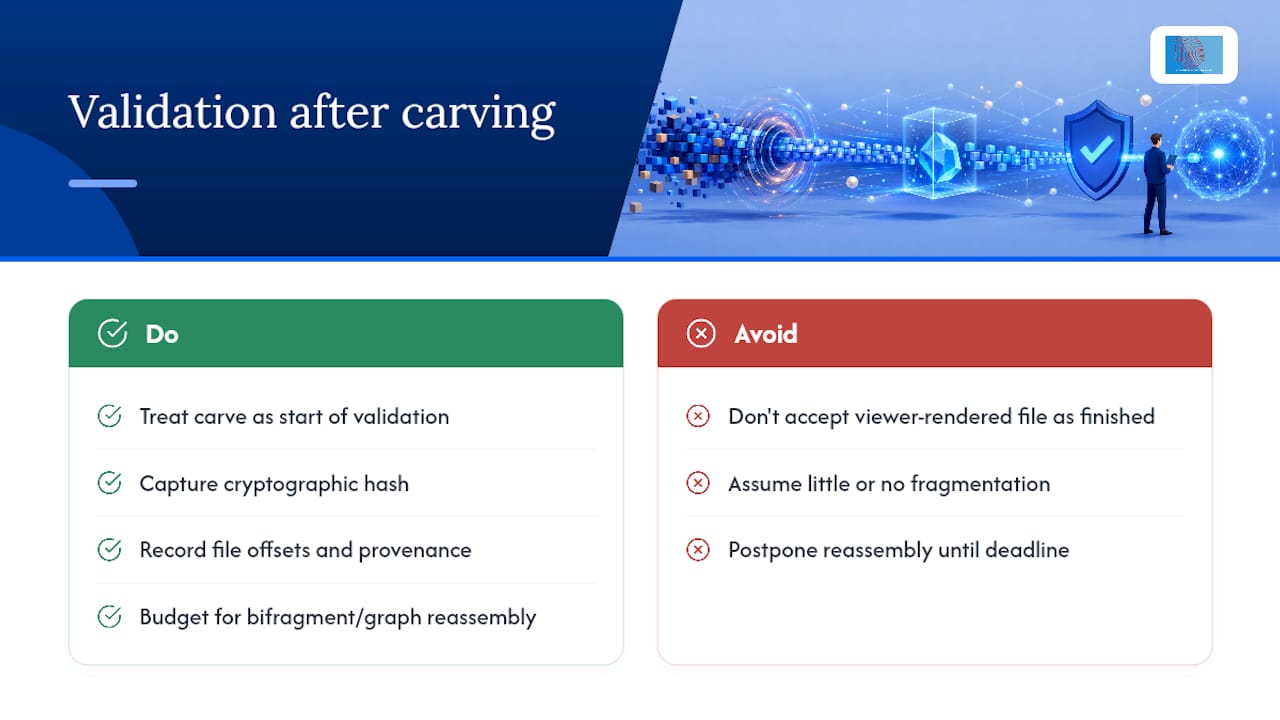

Conventional advice also tends to undersell fragmentation. Modern disks fragment less than older drives, which lulls examiners into treating every carve as a clean single-pass job, then leaves them stuck when a video file comes out corrupted for no obvious reason. The realistic expectation is that some proportion of files on any well-used volume will need bifragment or graph-based reassembly, and budgeting for that from the outset beats discovering it three hours into a deadline.
If there’s one priority worth taking from this, it’s to treat a successful carve as the start of validation, not the end of recovery. A file that opens correctly still needs a hash, an offset record, and ideally corroboration from another artefact before it belongs in a report.
— Computer
How Computer Forensics Lab handles carving when it matters
When metadata is gone and a case genuinely needs signature-based reconstruction, Computer Forensics Lab brings the acquisition discipline, tool documentation, and validation rigour that carved evidence demands to hold up under scrutiny. Engagements cover forensic imaging, carving and recovery of deleted or damaged files, expert witness reporting, and chain-of-custody management throughout, so recovered material is documented from acquisition hash through to final report language rather than handed over as an unverified file dump. Clients working through litigation, a data breach, or a suspected case of employee misconduct can expect every recovered artefact to carry an offset, a hash, and a plain-English confidence statement suitable for solicitors and courts alike. If a device, network capture, or memory image in your case might depend on carved evidence, get in touch through the digital forensics services page to discuss what an engagement would involve.
Sources
- File carving — Forensics Wiki
- NIST.IR.8354 best practices for computer forensic examinations (2022)
- File carving — Wikipedia
- Cgsecurity